
Finished designs, but no system
By the evening of 12 October, I had approved new designs in Paper for four pages of this site: the homepage, the blog listing, a blog article and the Tools page. White pages, ink type, yellow pill buttons and coral stipple illustrations.
The project’s style guide still described the old look. That was a real problem, because our coding agents read design-system/DESIGN.md before they build any page. An agent working from it would have rebuilt the old site.
So I asked for a style guide made from the new designs. This is the message I sent, with the Paper link taken out:
I want to turn these website designs into a style guide please. I want to track it in iLoveVibe. And I want to use Opus 5.5. And potato mode please create the Paper style guide in the style guide tab first for me to see. Once I've reviewed it I want to then update the existing style guide for the project. We have a skill for this. Please create a PRD for this. I want you to do pixel-perfect style guides as opposed to reinventing“iLoveVibe” is our ticket board, and “potato mode” is poteto mode, a set of working habits we load into Claude Code. The important part is the last sentence. A guide that reinvents the design is a new design. I wanted a record of the one I’d approved.
Measure first, then clone
Claude started two Opus helpers measuring every layer on the four pages, read-only, through Paper’s MCP server, the connection that lets an agent read and edit a Paper file. It built the guide from their numbers as they arrived. The homepage alone has 332 layers. Every value went into a measurement ledger, and none was read off a screenshot. A small script drove the MCP server, so the measurements can be run again.
Then it built the guide from clones. Paper can copy a real layer from one page onto another, so every button, card and type sample in the guide is the actual component from the approved pages, not a lookalike. That was Claude’s method, not mine. I asked for pixel-perfect, and cloning was how it got there.
The first draft had two boards. Shared Foundations had seven sections, from colour through illustration to the rules. The Website guide had nine, from the header and footer through to the blog article, ending with a list of gaps and conflicts. The type scale alone was 23 cloned samples. As a check, Claude compared ten samples with their originals, and the styles matched exactly.
The pages disagreed with each other
Measuring everything has a side effect. It shows you where your own designs disagree. Each page had been designed and refined on its own, and small differences had crept in:
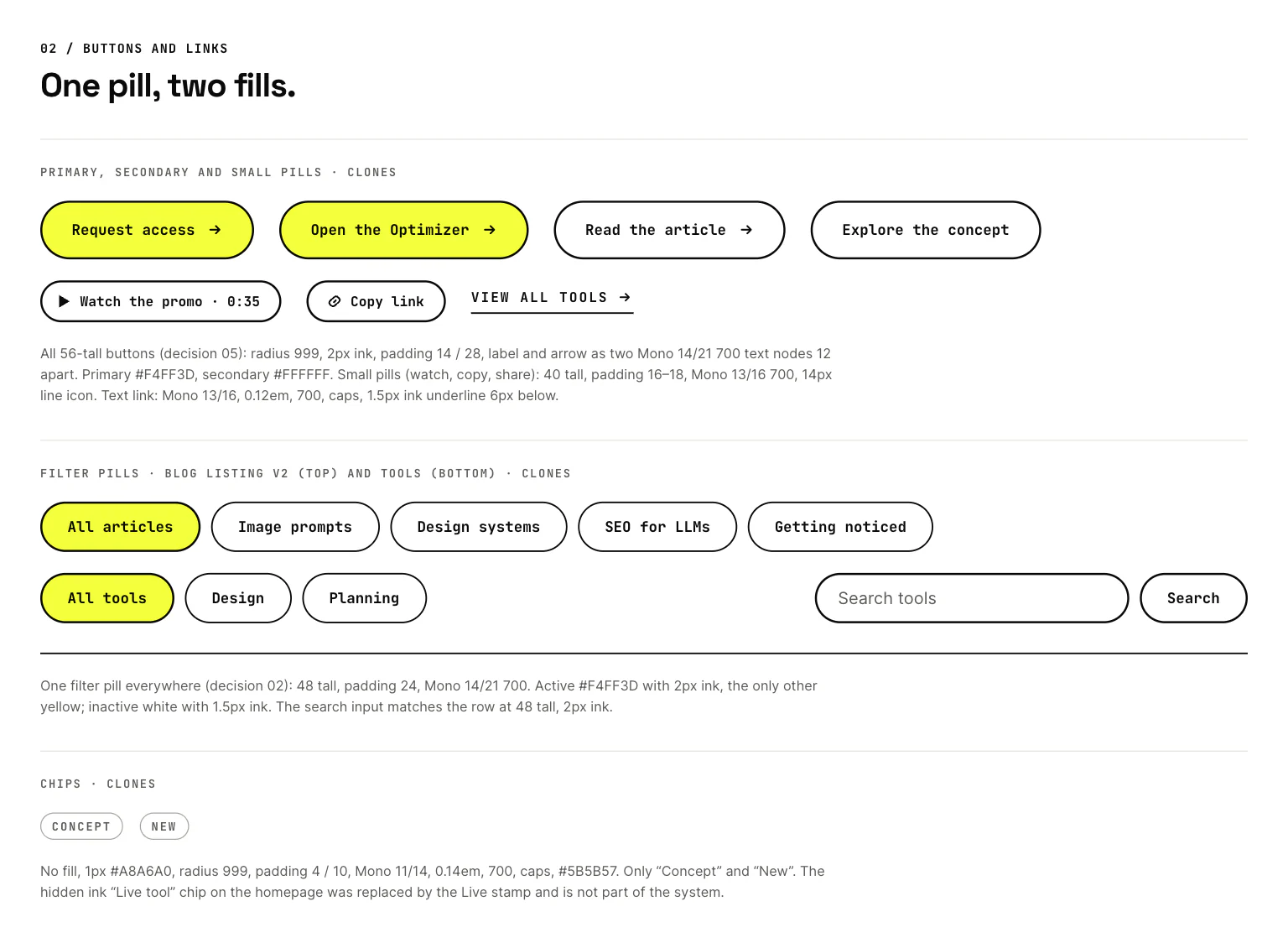
- Filter pills. The blog listing’s were 44px tall with 13px labels. The Tools page’s were 48px tall with 14px labels, and a thinner border when not selected.
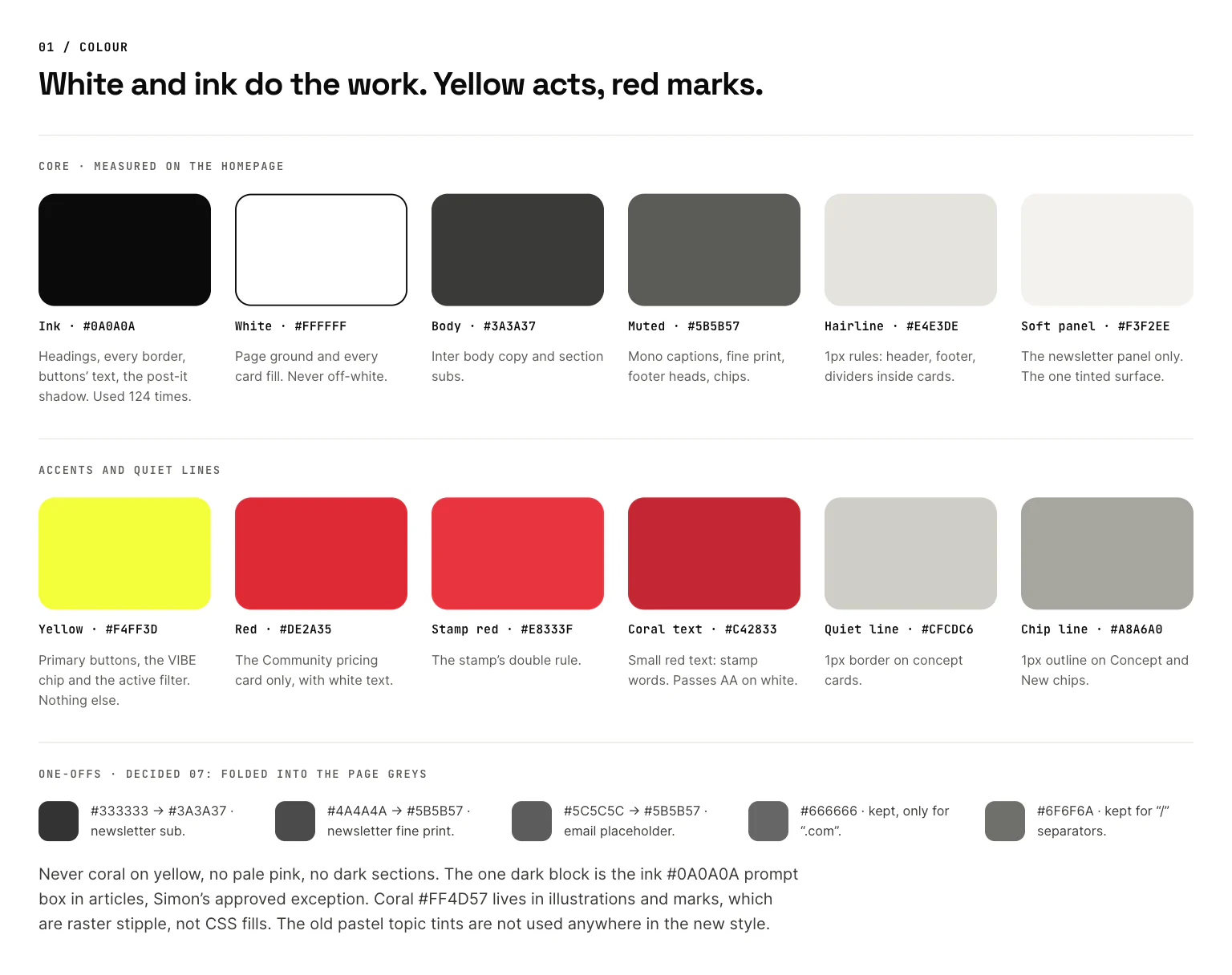
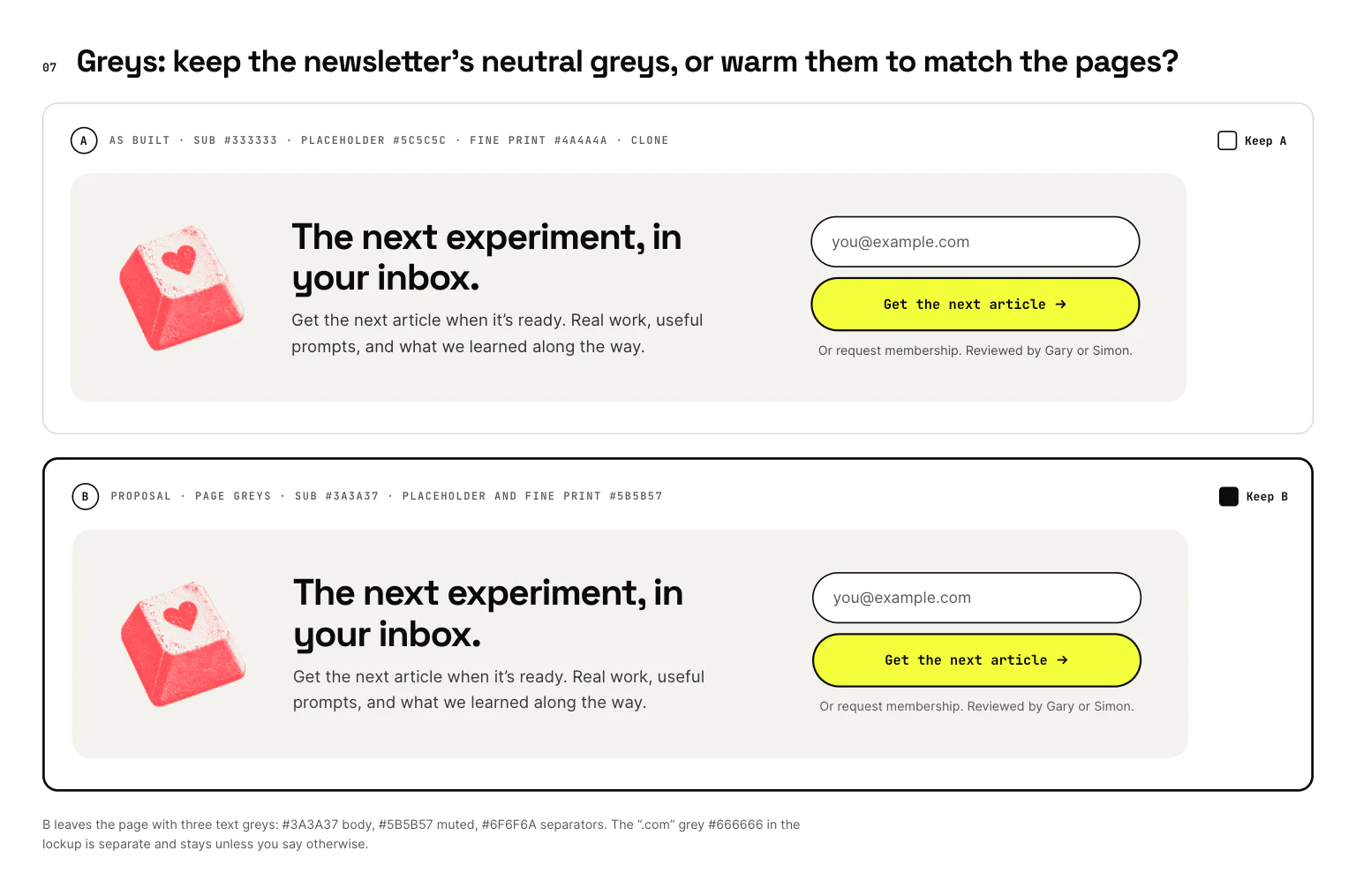
- Greys. There were eight text greys. The pages used warm greys, but the newsletter panel and the footer used neutral ones.
- Buttons. Some had 28px of padding at each side, others 36px. Some kept the arrow inside the label; others made it a separate piece.
- Image corners. Article figures had a 12px radius. Banners and cards had 16px.
- The Tools title. It was 80px, but the rule was that titles stay at or below 52px.
Breadcrumbs, tool rows, the email field, the number of title sizes and the spacing in section heads made ten in all.
The draft guide didn’t pick winners. Where two pages disagreed, it showed both versions and listed the conflict. It also listed what the new designs didn’t cover at all, such as mobile layouts, forms, button states and the admin screens, instead of inventing them.
Let the art director pick, on the canvas
A list of conflicts in a chat window is hard to judge. You need to see them. So I sent this, with a link to the guide’s list of conflicts:
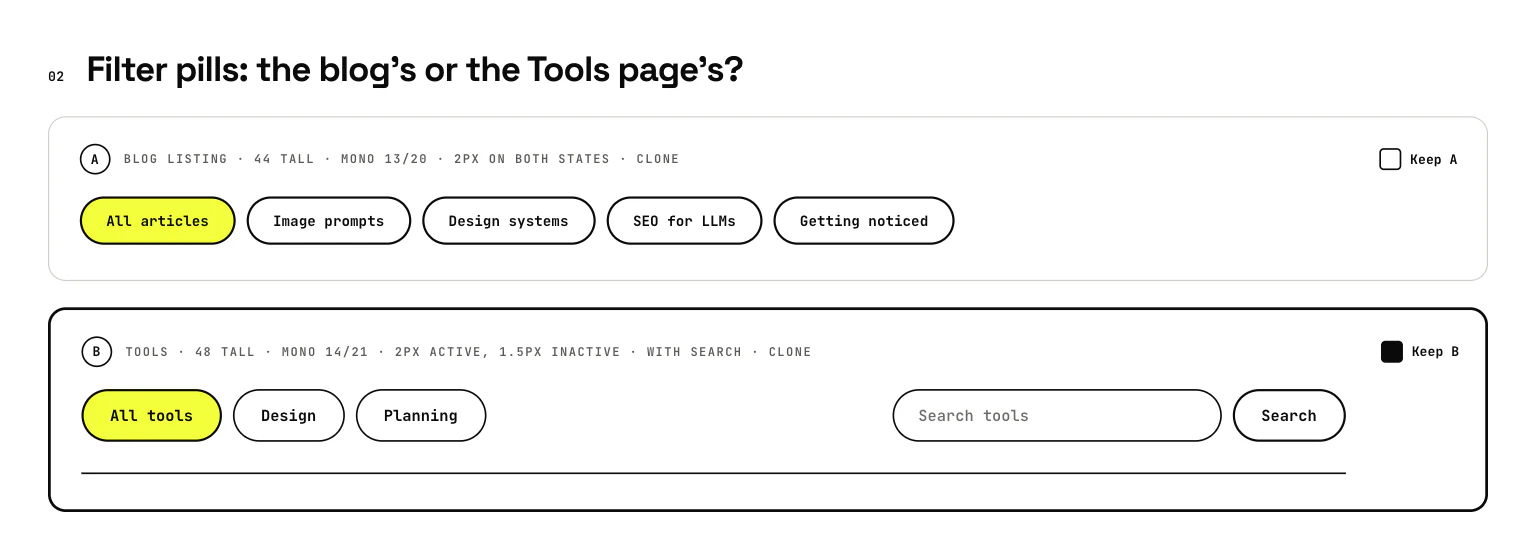
could you show me visually on paper the inconsistencies and let me pick which ones I want to keep? Also you mentioned things that haven't been designed yet. You design them please.Claude built a decision board in Paper with one row per conflict. Each row showed the competing versions side by side as real clones, labelled A, B and sometimes C. Where no existing version was clean, it added a proposal: the same component with only the disputed value changed, such as the newsletter panel in the page greys.
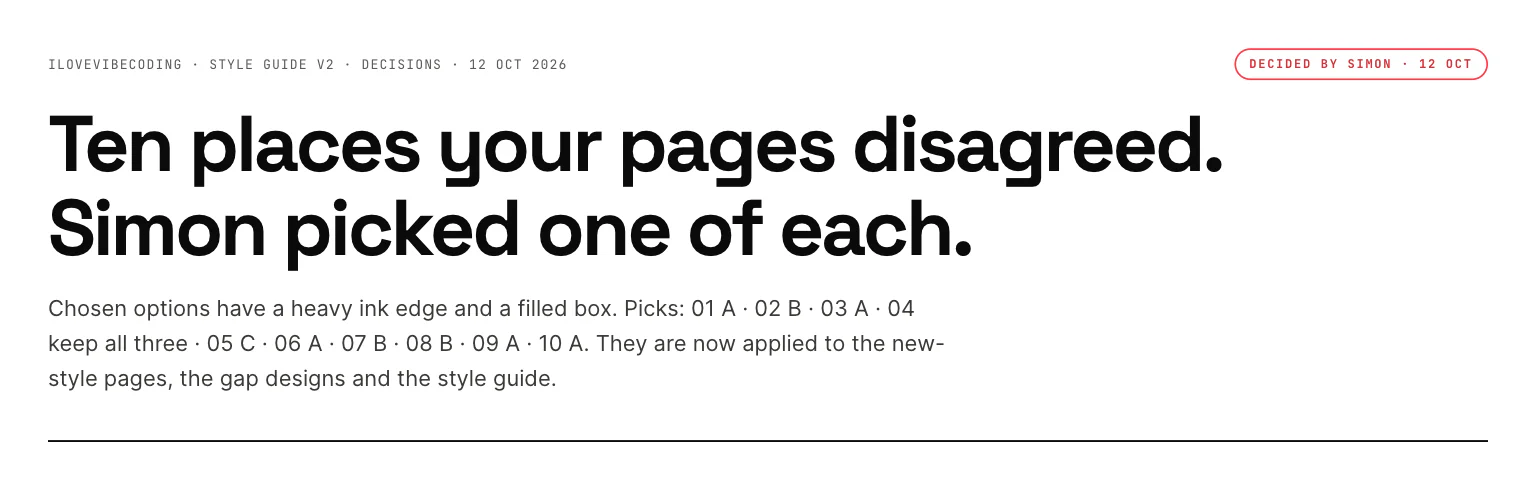
Each row had a tick box. I didn’t use them. I left a comment on each row instead, mostly a single letter, then wrote “made my choices on the canvas. Could you please implement the changes across the board?” The tick boxes were empty, so Claude checked the comments next, read all ten through the MCP server and found my picks.
| Row | My comment | What it settled |
|---|---|---|
| 01 · Tools title | “A” | The Tools page keeps its 80px title, a second exception to the 52px limit |
| 02 · Filter pills | “B” | The Tools style everywhere: 48px tall with 14px labels |
| 03 · Breadcrumbs | “A” | The blog’s spaced capitals everywhere |
| 04 · Tool rows | “keep all 3” | Each of the three treatments stays in its own place |
| 05 · Buttons | “C” | 28px side padding, with the arrow as its own piece |
| 06 · Image corners | “A” | Standalone images use 12px; images inside cards keep the card’s 16px |
| 07 · Greys | “want to match the other pages” | Warm greys only |
| 08 · Email field | “B” | 56px tall with a 2px border, like the button beside it |
| 09 · Title sizes | “A” | All eleven title sizes stay |
| 10 · Section heads | “A” | A 14px gap between label, title and intro |
Round two
The first round left a few things open, and the gap designs raised new questions. I answered them in chat, in one message. Among the answers:
- Spacing. “Section spacing: please make them consistent to 120.”
- Pricing copy. “Should be Gary and Simon on the pricing page.”
- Phones. “No swipe on the pricing page on phones.”
- Tool marks. “Don’t know what you mean about two marks. You’ll have to show me.”
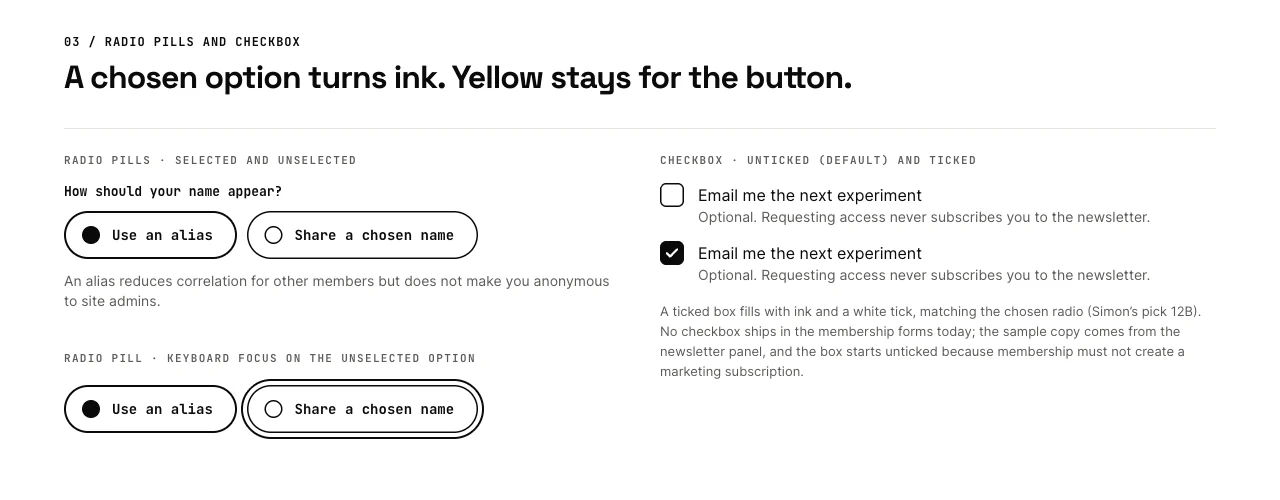
That last answer shows the method at work: when I couldn’t picture a choice, I asked to see it. Claude added two rows to the board: the two sets of tool-mark image files, at 40px and enlarged, and a selected radio button in yellow or in ink, shown above a form’s yellow button. My reply was “11A and 12B are my decisions.” That meant the big original mark files everywhere, and ink for a chosen radio, so yellow stays for the button. Brief Builder, the one tool without a coral mark, got one, made through the same Codex pipeline as the others.
Ten comments on the board and six more picks from two chat messages made 16 numbered decisions. They now live in one file in the repo, site-v2-decisions.md, so a ticket can cite them.
Design the gaps from the same parts
The same request asked for the missing pieces. While I worked through the board, eight Claude Opus agents designed one gap each, in parallel, on a separate Paper page:
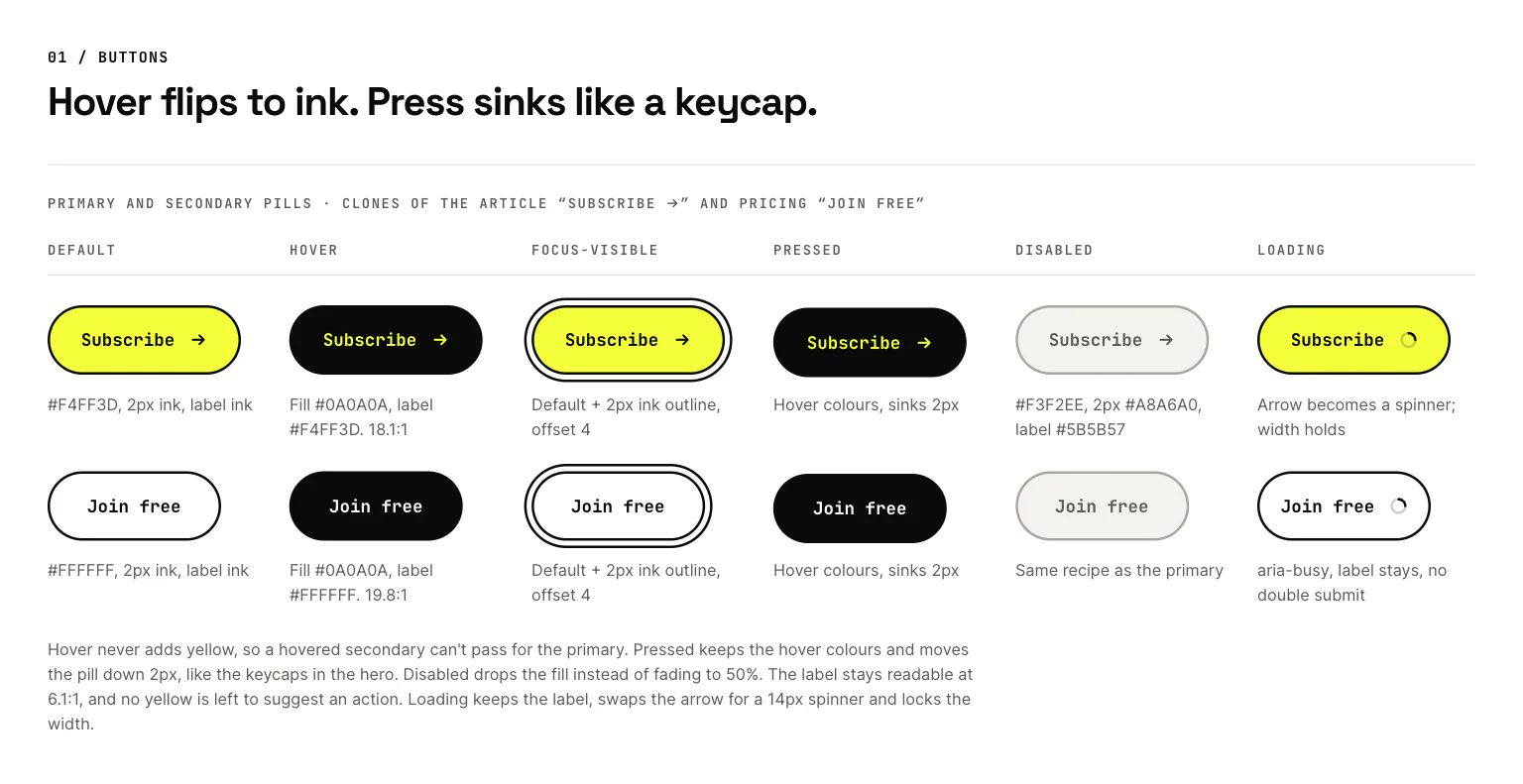
- Interaction states. Hover, focus, pressed, disabled and loading.
- Forms. Fields, choices and errors, plus the membership flow.
- Admin. The screens for reviewing membership requests.
- Article extras. H3 headings, inline code, quotes, tables, prompt-box states and bylines.
- Mobile and tablet. Phone and tablet layouts, and the rules for how each page steps down.
- No SaaS Is Safe. The directory page.
- Pricing. A full pricing page.
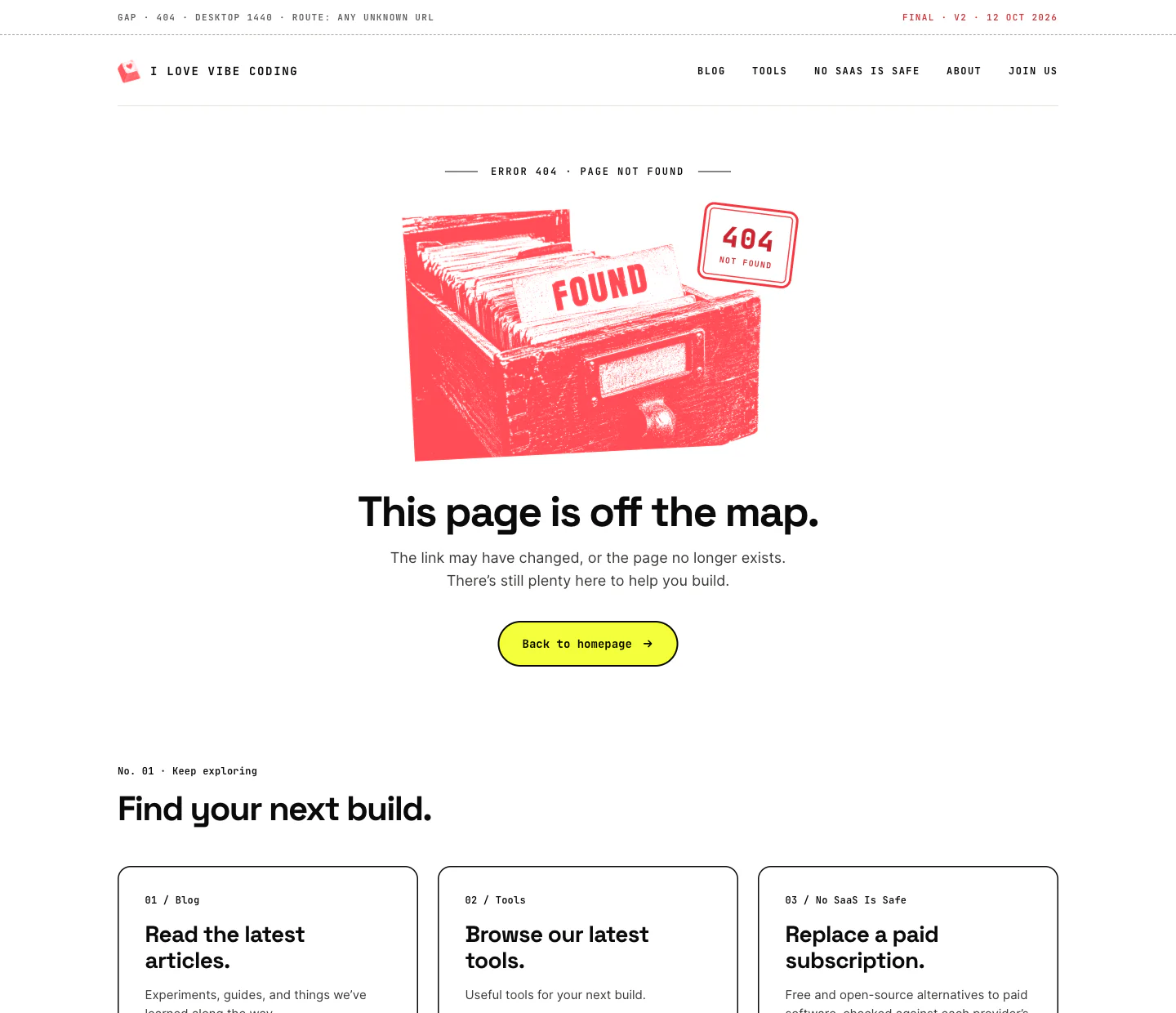
- 404. The page you get for a broken link.
They all worked from one shared brief. It told them to reuse before inventing: clone real components first, and build something new only when nothing similar exists, from the same parts. It set the type and colour rules, banned things the style never does, such as coral on yellow and dark sections, and required visible states, WCAG AA contrast and real copy from the site. Each agent had its own lane on the page and was told never to touch another agent’s work.
Claude reviewed each design as it landed and passed the open questions to me. The pricing agent noticed that the homepage offered time with “Gary” while the tier said “Gary and Simon”. The forms agent had made a chosen radio button yellow. Both became decisions in round two.
One page for designs, one for rules
By now the work was spread across several Paper pages. Before I’d answered rows 11 and 12, I asked for a clean split:
Now we've made all these decisions. Can you clean up the Paper so that we have a page that is the final web design and a page that is the final style guides? Please put those on fresh new pages so it's very obviousClaude moved the work onto two new pages rather than copying it, so each design exists in exactly one place:
- ★ FINAL · Web design · v2. Nine desktop pages, five phone screens at 390px wide, the homepage at tablet width and a read-me card.
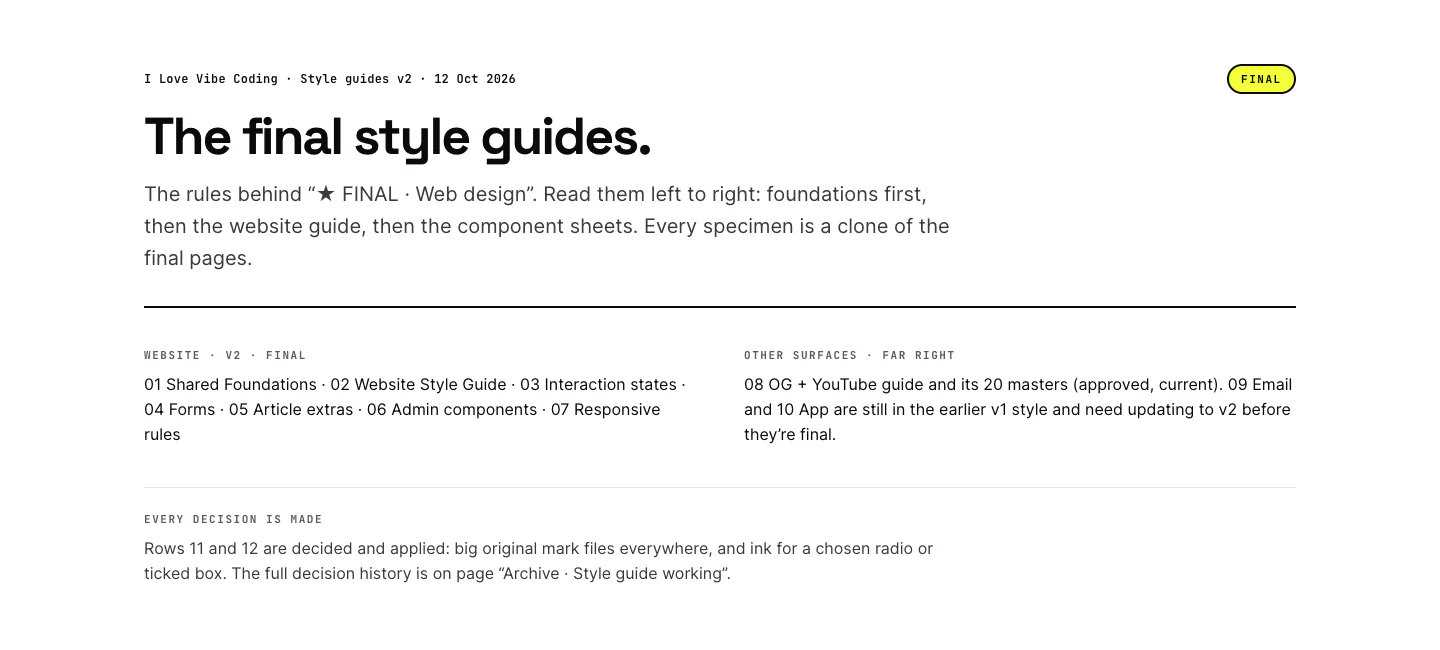
- ★ FINAL · Style guides · v2. Seven numbered guides, from 01 Shared Foundations to 07 Responsive rules, followed by our existing guide for Open Graph and YouTube images with its 20 templates, and the email and app guides, which are still in the old style.
The working pages were renamed to start with “Archive ·”, so nothing old looks current. The decision board stays as the record of what I chose between, and its rows keep the old versions on purpose.
Publish it where the agents look
A guide in Paper helps me. Agents need it in the repository. So I wrote “Okay let’s proceed to the next step: update the project’s design system.”
That ran our design-system-sync skill, a set of instructions Claude follows to publish Paper into the repo. It reads the FINAL style guides through the MCP server, again as exact values rather than screenshots, and rewrites these files:
- The spec.
DESIGN.mdis the written spec that agents read before they build any UI. - The visual guide.
style-guide.htmlis a browsable version with real swatches, type and components. - The tokens.
tokens.cssandtokens.jsonhold the colours, sizes and spacing as variables. A script generates the JSON from the CSS, so the two files can’t drift apart. - The map.
manifest.jsonrecords which Paper board feeds which file.
The email and app guides hadn’t been redesigned, so they now use a frozen copy of the old values, and their look didn’t change.
My first message went in just before 8pm. The published design system was ready about an hour and three quarters later.
What broke along the way
- Clones kept their old position. A cloned layer keeps the position it had on its original page. The Watch pill arrived pinned to its old spot, and the Tools filter bar shrank. Claude reset the offsets, set explicit widths and added the fix to the brief for every later agent.
- Paper silently ignored some padding edits. On about a dozen buttons, Paper reported a padding change as saved but kept the old value. The agents caught it only because they read every value back after changing it. They rebuilt those buttons instead.
- An agent over-applied the 120px rule. I asked for 120px between sections. The spacing agent also pushed some content 120px away from its own heading, inside a section. Claude reverted those: the blog filter pills went back to 56px above their list, and the Tools “Explore” heading back to 80px above its concept cards. The rule now says it applies between sections only.
- My picks weren’t where Claude looked. It suggested I reply in chat or tick the boxes, and I commented instead. It found my picks because it checked the comments when the boxes were empty.
The common thread is to never trust that an edit landed. Read the value back. After the first round, a final scan across every page found no old greys, no 53px fields, no 44px filters and no 36px button padding left.
Try it with your own designs
You need approved designs in a tool your agent can read and edit. We use Paper, its MCP server and Claude Code. These are the steps:
- Measure before drawing. Have the agent read every layer’s exact values into a ledger. No numbers from screenshots.
- Clone, don’t redraw. Build the guide from copies of the real components, and label each one with the page it came from.
- List conflicts and gaps, don’t settle them. Where pages disagree, show both. Where something isn’t designed, say so.
- Put every conflict on a board. One row each, with the options side by side as real components, labelled A, B or C.
- Pick by commenting. One comment per row. If you can’t picture an option, ask to see it as another row.
- Write the picks into one spec. Every agent applies the same file, so every page gets identical values.
- Read everything back. Check values after each edit, then scan every page for the old ones.
- Design the gaps from the same parts. Give each agent one gap, its own space and a shared brief that says to reuse before inventing.
- Clean up, then publish. Move the finals to their own pages, archive the rest and publish to the files your agents read.
Here are reusable versions of the two requests that did most of the work. Replace the placeholders with your own pages:
Turn my approved page designs [APPROVED_DESIGNS_URL] into a pixel-exact style guide on a new page [STYLE_GUIDE_PAGE_URL]. Don't reinvent anything.

Measure first: read every layer's exact computed styles into a ledger, and never take a value from a screenshot. Then build the guide from clones of the real components, and label each sample with the page it came from. Check ten samples against their originals.

Where two pages disagree, show both versions and list the conflict. Don't pick one. List anything the designs don't cover as a gap instead of inventing it.Show me the conflicts visually on a decision board [DECISION_BOARD_PAGE_URL]: one row per conflict, with the competing versions side by side as clones, labelled A, B or C. Add a proposal only where no existing version is clean. I'll pick by commenting on each row.
Then write my picks into one spec, apply it to every page and to the style guide, read every changed value back, and scan all the pages for anything left over.What it doesn’t do
- It records what’s designed, nothing more. The guide is only as good as the pages it was measured from. The gap designs were made by agents in one evening, and they’re final because I reviewed them and moved them onto the final pages, not because an agent made them.
- Some choices weren’t really mine. I never picked the header’s ink bar, which marks the current page, on the board. The states agent recommended it, and it went in as a default when I said go on the build plan. Claude also settled the prompt box’s header size while publishing.
- Email and app aren’t done. Their guides are still in the old style, frozen until they’re redesigned.
- Paper’s own design tokens are out of date. The file’s built-in token set still holds an old dark theme. The guides use exact values instead, so an agent has to read the boards, not the file’s tokens.
- It depends on checking. Clones and silent padding failures needed workarounds. The result is right because every value was read back, not because every edit worked first time.
Then the guide rebuilt the site
A few minutes after the publish, I asked: “lets upgrade the live site using poteto mode”. Claude planned the work from the guide, and when I asked, it wrote 15 tickets on our board, IL2-021 to IL2-035. The first held the product questions still to answer; the rest were build steps. After I asked whether they referenced the right Paper examples, every build ticket linked to the design it should match. The decisions file came next, so a ticket could cite a decision by number and no one had to guess which of two button paddings was right.
The rebuild went in as a run of pull requests, the last of them merged in the early hours of the next morning, and the site you’re reading is the result. That build deserves its own article.
Get the next experiment in your inbox.


