Experiment · Article 03
Storyboard first.
Let the voice set the pace.
We turned our first article into a 26-second promo short. We planned every frame in Paper first, let a voiceover decide the timing, then added a real voice and sound effects from ElevenLabs. Here’s the whole back-and-forth, what failed, and how to do it yourself.
The first cut was too long
We’d just published Five images in. One style prompt out. and wanted a short promo for Reels, Shorts and TikTok. The story was already written. The hard part was turning it into something people would watch to the end.
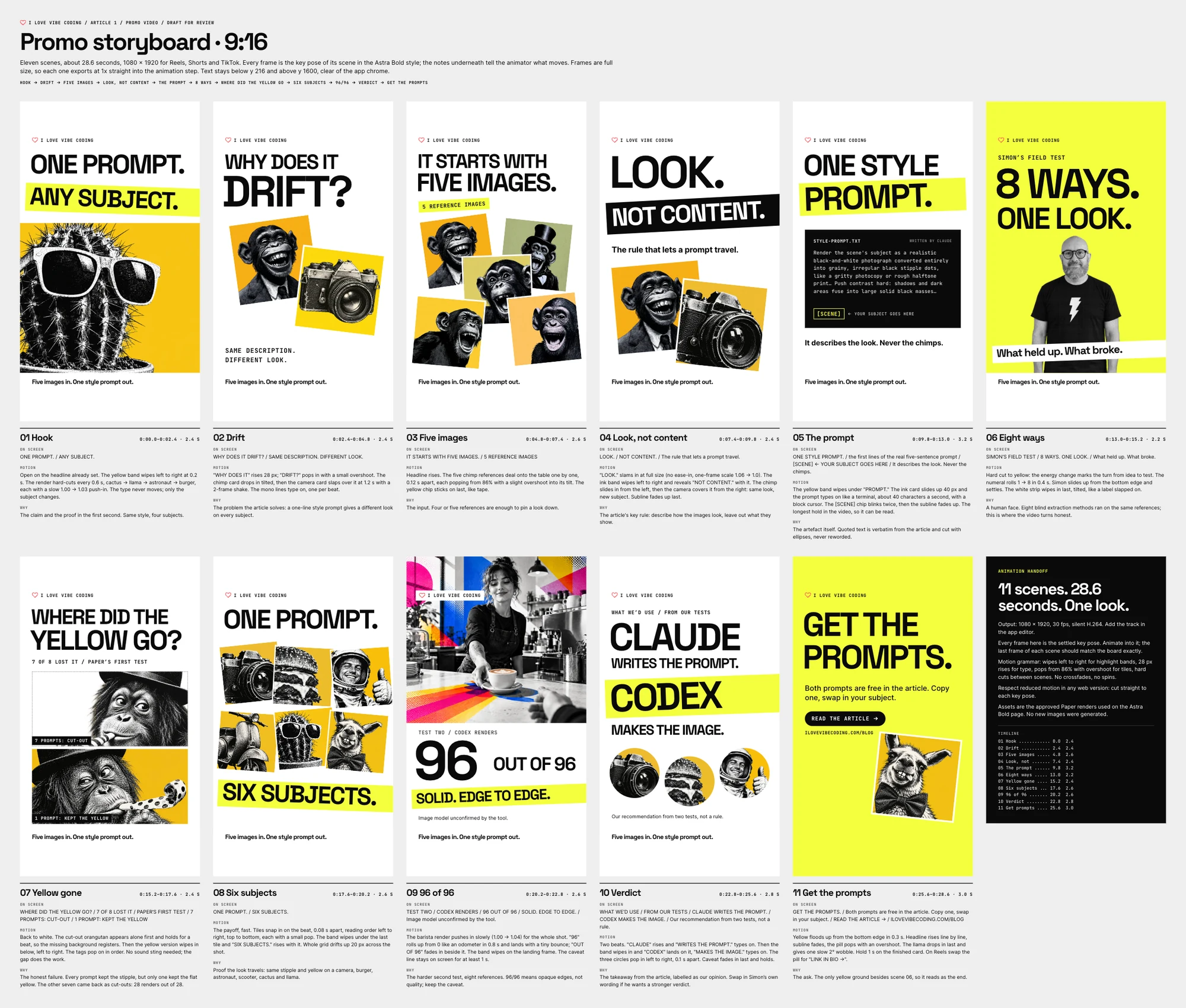
Our first storyboard had eleven scenes and ran 28.6 seconds. It covered everything: the drift problem, the eight methods, the yellow that went missing, the 96 out of 96 test. Simon watched the animated version and said it was “too long and it’s a bit waffly”.
Start from what you already have
We didn’t design the video from scratch. Three things already existed and did most of the work.
- The article. The story, the numbers and the images were already checked and published.
- Our social templates. The bold OG and YouTube images we’d made in Paper set the look: white ground, ink type, one highlighter-yellow band, tilted image tiles.
- Our AI identity icons. A page in Paper holds the official marks of the tools we write about, each in the same frame. The Claude, ChatGPT and ElevenLabs logos in this project come from there.
Storyboard first, in Paper
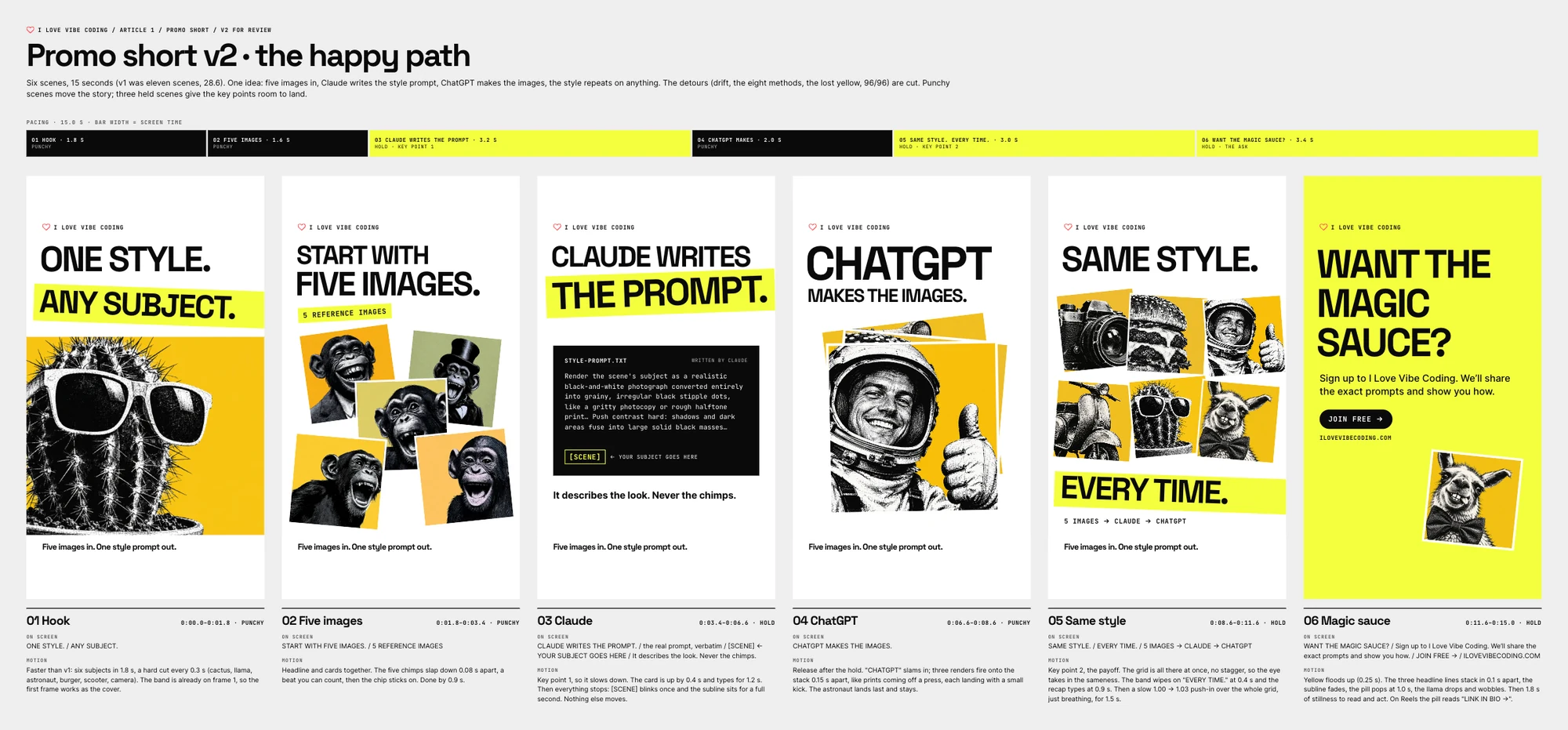
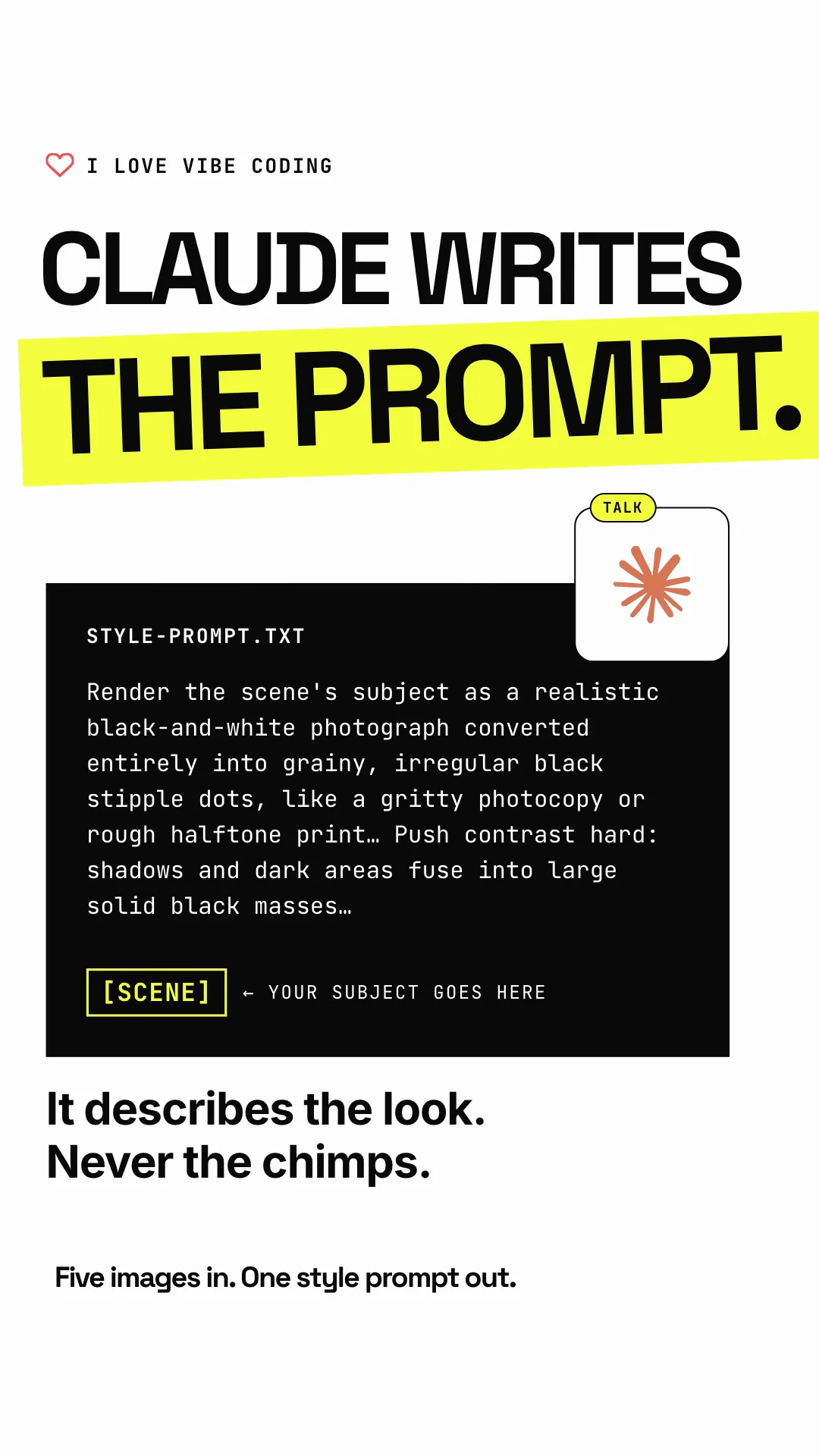
Before any animation, Claude Opus 5.5 built the storyboard in Paper. Each scene is a full-size 1080 × 1920 frame showing where it ends up, with notes underneath: timing, on-screen text and what moves.
That’s the key move. A storyboard is cheap to change. Simon could see the whole story on one board, cut scenes and rewrite lines before a single frame was rendered.
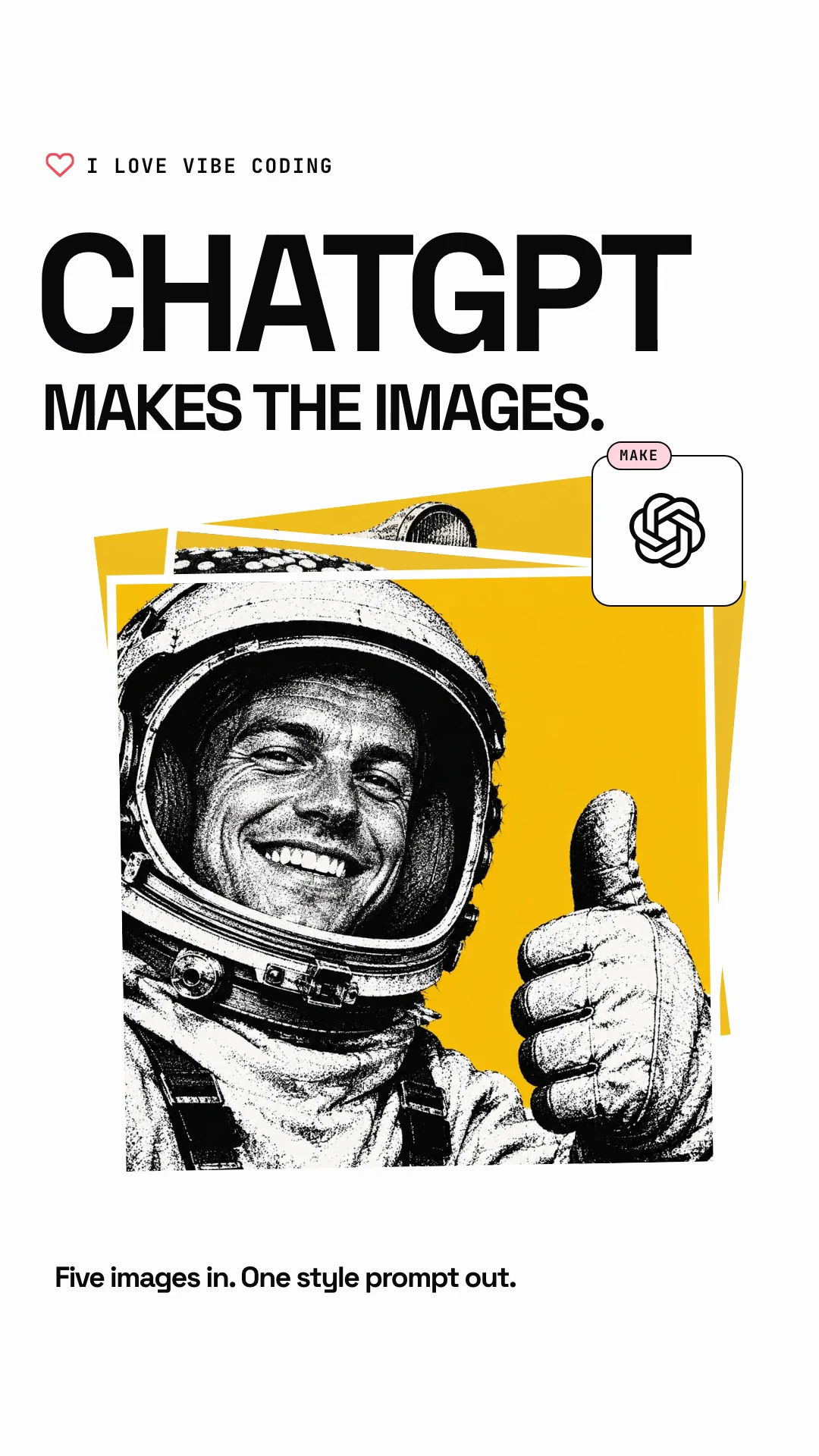
After the first cut, he asked for the happy path only: five images in, Claude writes the prompt, ChatGPT makes the images, the style repeats, sign up. The second storyboard had six scenes and 15 seconds. He approved it with two words: “Looks great.”
The back-and-forth on timing
Getting the frames right took two storyboards. Getting the timing right took four more versions. This is where most of the work went.
- v2, 15 seconds. Built straight from the approved storyboard. It looked right, but Simon felt the pacing could be better and asked Claude to look at it critically.
- v3, 14 seconds. Claude went through v2 frame by frame. The key line got about a second while unreadable code typed out for two. Punchy scenes went still at the end. A near-white frame flashed before the yellow end card. Every cut moved onto a half-second beat grid.
- v4, 23.5 seconds. Simon’s verdict on v3: “I think it’s all a bit rushed.” He asked for “snap, pause, snap, pause”, with pauses long enough “for the audio to sink in and for somebody to then relate the audio to the image”. From here the voiceover drove the timeline.
- v5, 26 seconds. Real logos, Simon on the end card, sound effects, then the ElevenLabs voice. The timeline stretched to fit the real read.
The length went up, not down. Shorter wasn’t the goal. Clearer was.
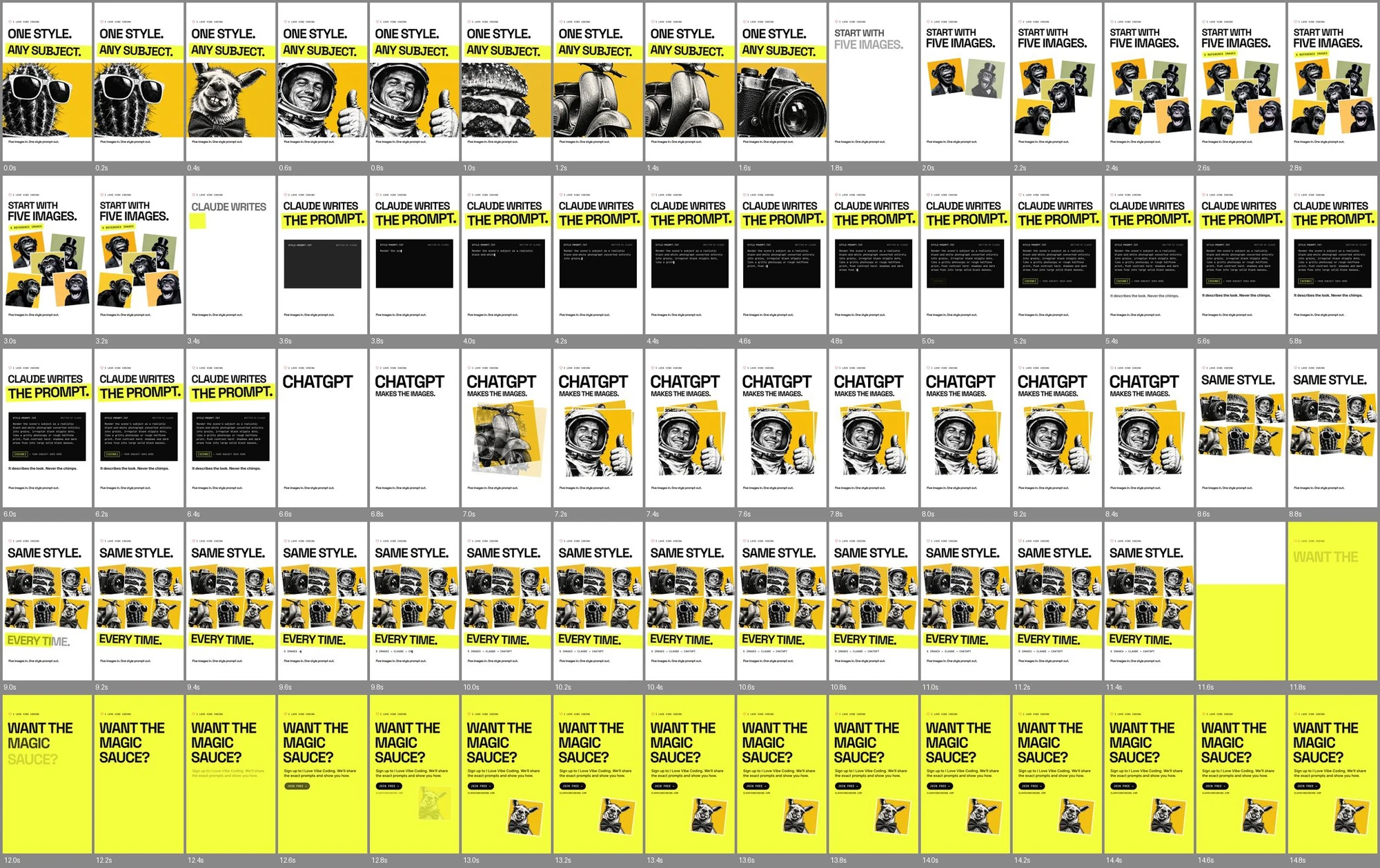
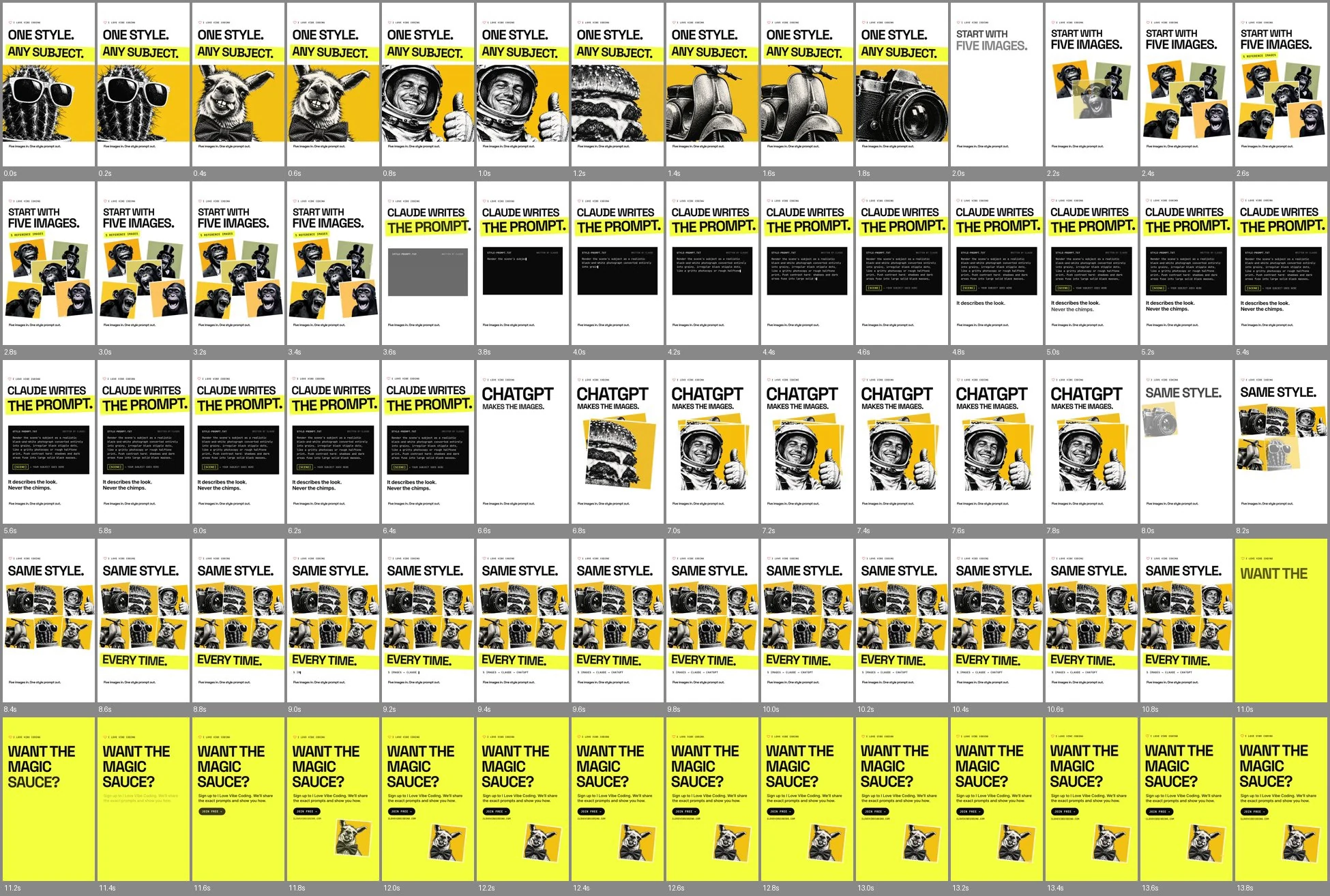
We also tried GPT-6 Astra through Codex, just to see whether it could build the video from the storyboard on its own. It ran for 25 minutes and copied the v2 storyboard faithfully, slow spots and all. Simon thought it was terrible next to what Claude was doing, so we ditched it. That was one run, on the earlier storyboard, so it isn’t a fair contest. It still told us what we needed to know.
Let the voice set the pace
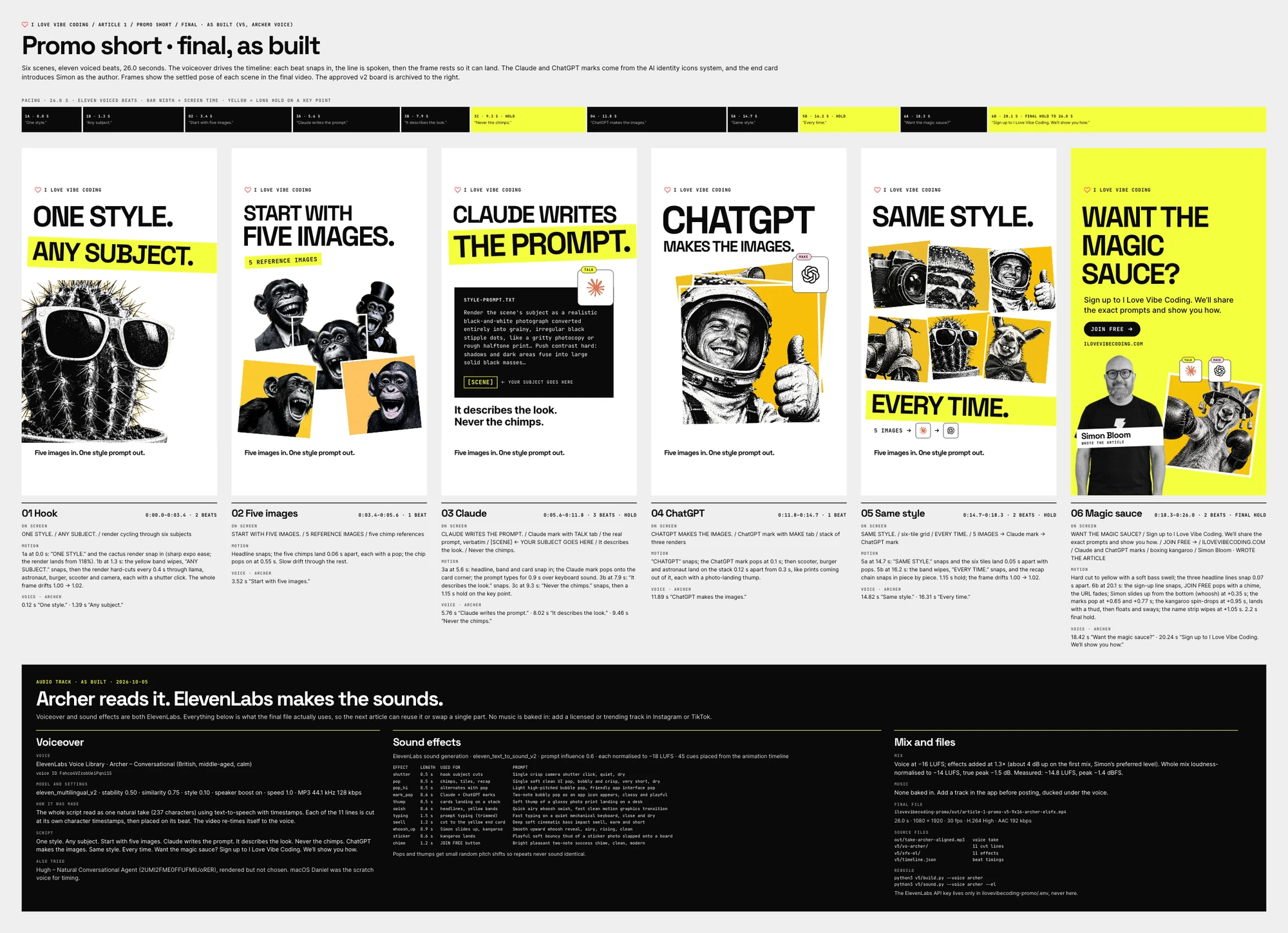
Every spoken line is a beat. The words for that line snap onto the screen in about a third of a second, the voice starts just after, and then the frame rests until the line has landed. Key points rest longer.
To work that out before paying for a voice, we used Daniel, the free British voice built into macOS, as a scratch track. A script generates each line, measures how long it takes and builds the timeline from those lengths: snap, line, pause, next beat. Change a line and everything after it moves.
Real logos and a real author
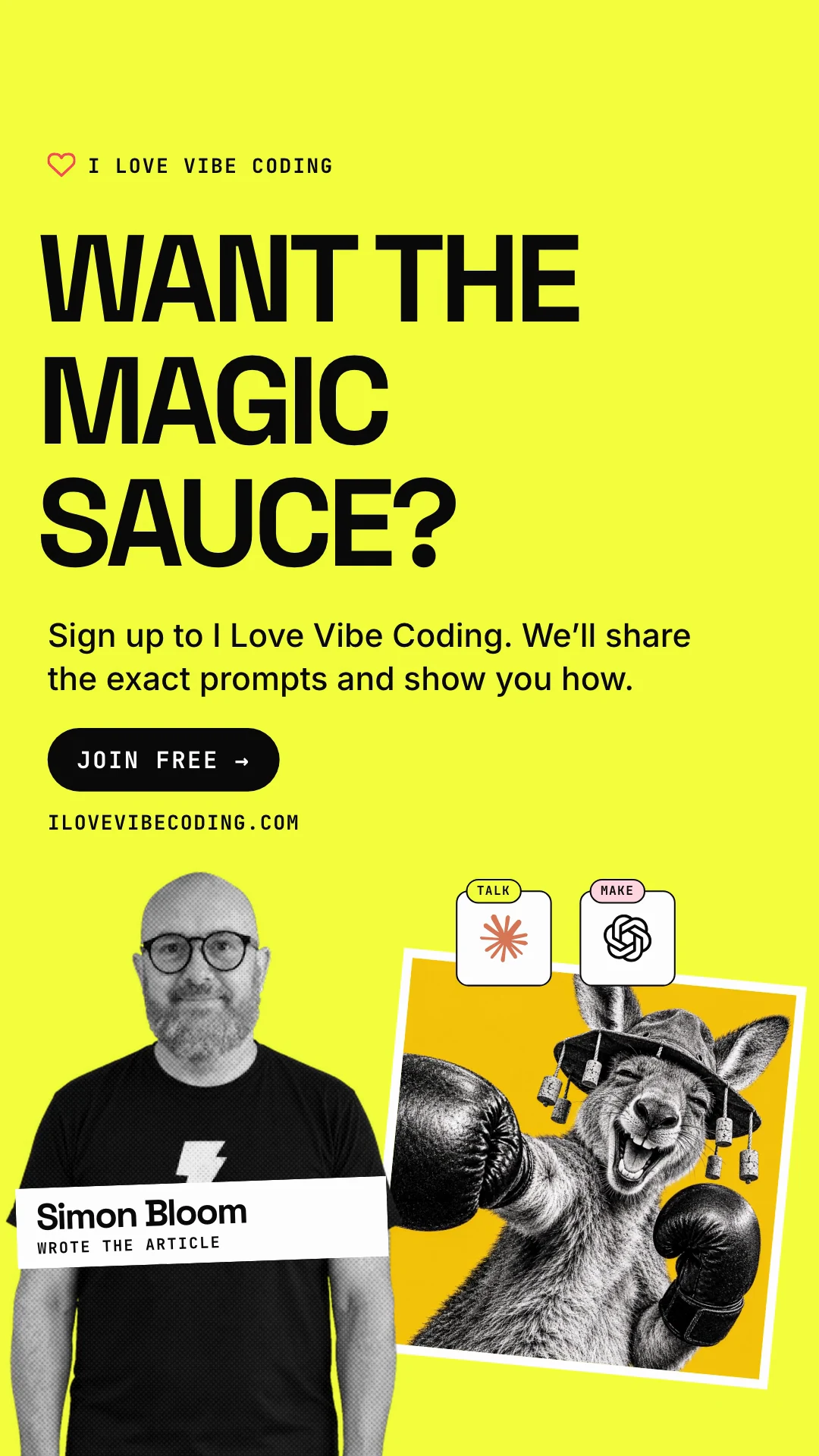
Two changes made the story easier to follow. The official Claude and ChatGPT marks appear as each one does its job, in our house frame with a small tab: TALK for Claude, MAKE for ChatGPT. And the end card introduces Simon as the author, next to the two marks and a boxing kangaroo.
A real voice and real sounds from ElevenLabs
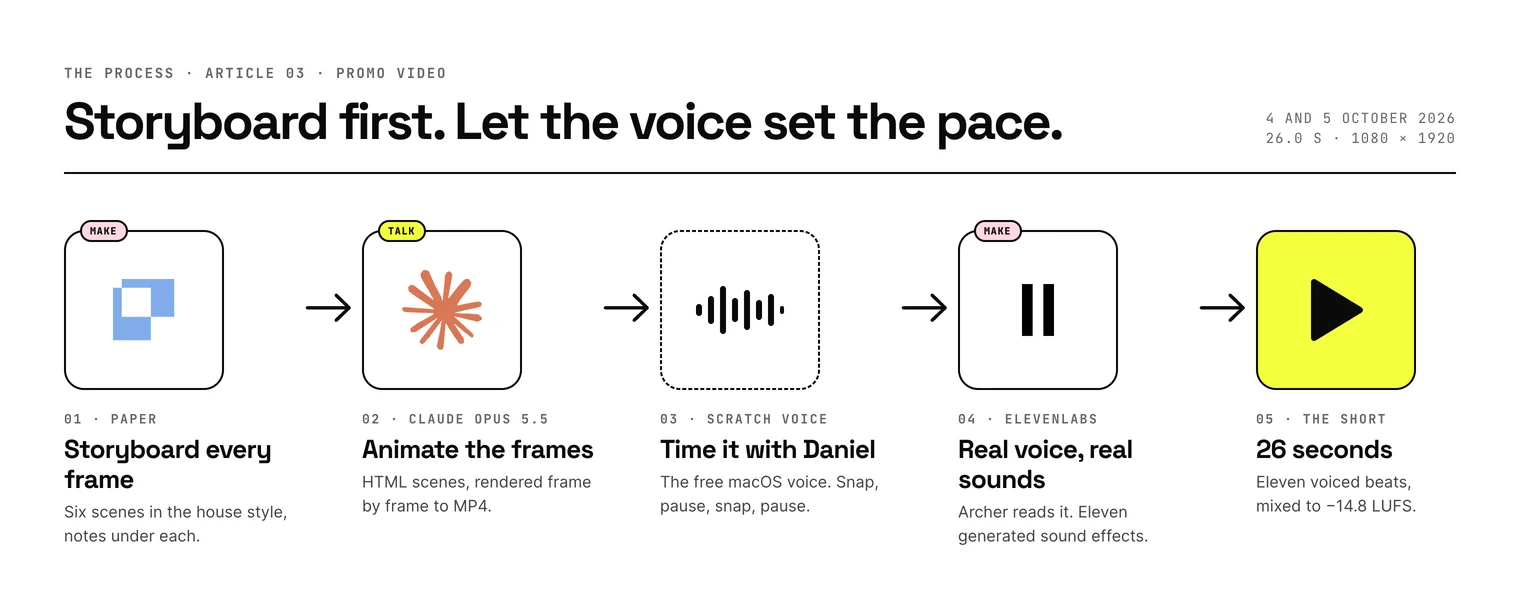
Simon wanted a UK voice that didn’t sound too posh. ElevenLabs’ Voice Library lets you play preview clips for free, so we shortlisted twelve British conversational voices and Simon listened. He picked Archer (Conversational).
We generated the whole script as one natural take with the Multilingual v2 model, 237 characters, and asked for a timestamp for every character. That let us cut each line exactly where it starts and ends. The video then re-timed itself to Archer’s delivery.
The sound effects came from ElevenLabs too. We described eleven sounds in plain words, such as a camera shutter, a bubbly pop, a photo landing on a desk and a success chime, and generated 8.6 seconds of audio in total. A script places each one on its animation cue: pops for tiles, a thump for every card that lands, typing under the prompt, a chime for the sign-up button.

One story, two shapes
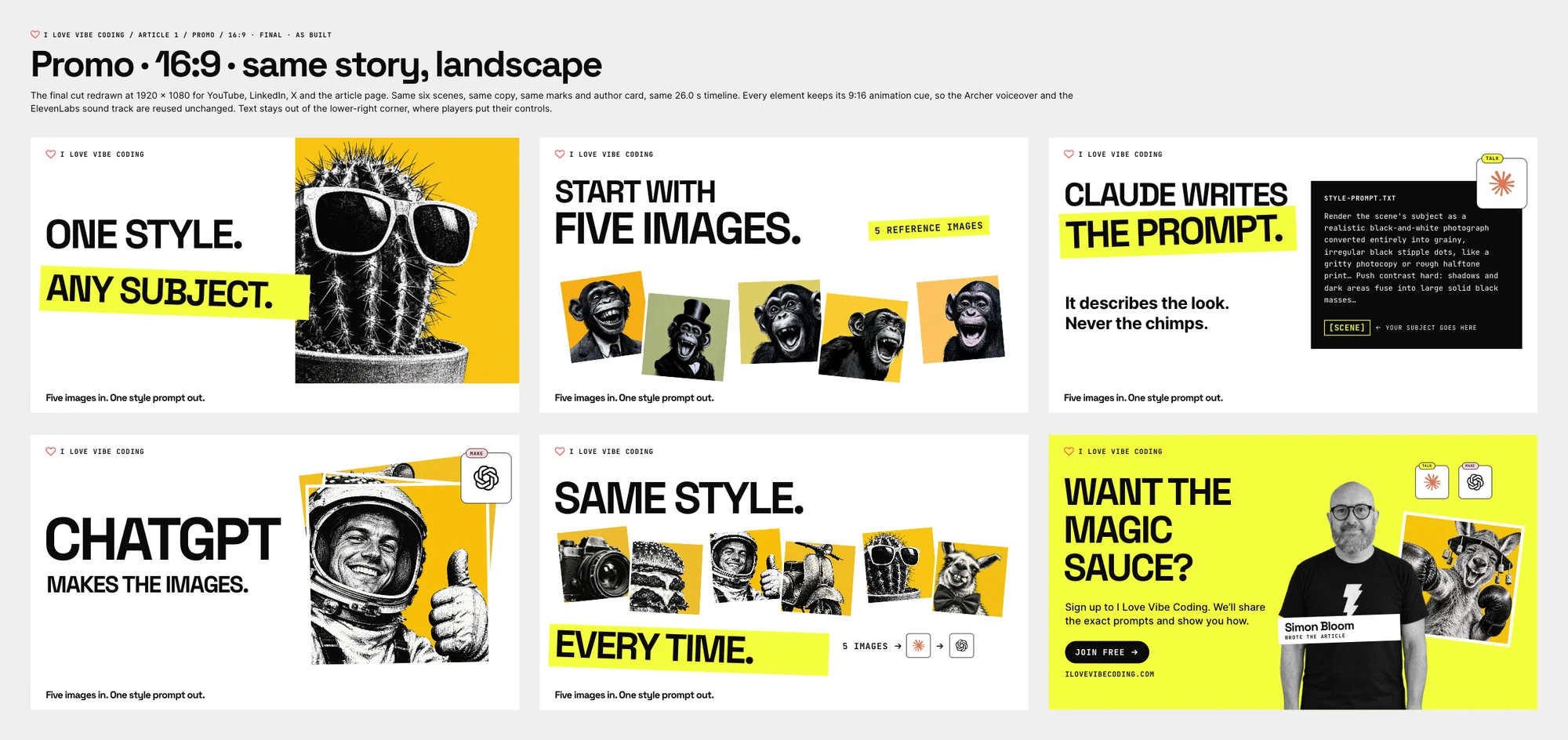
Then Simon asked for a 16:9 version for YouTube, LinkedIn and the article page, with the same content, the same voiceover and the same sounds.
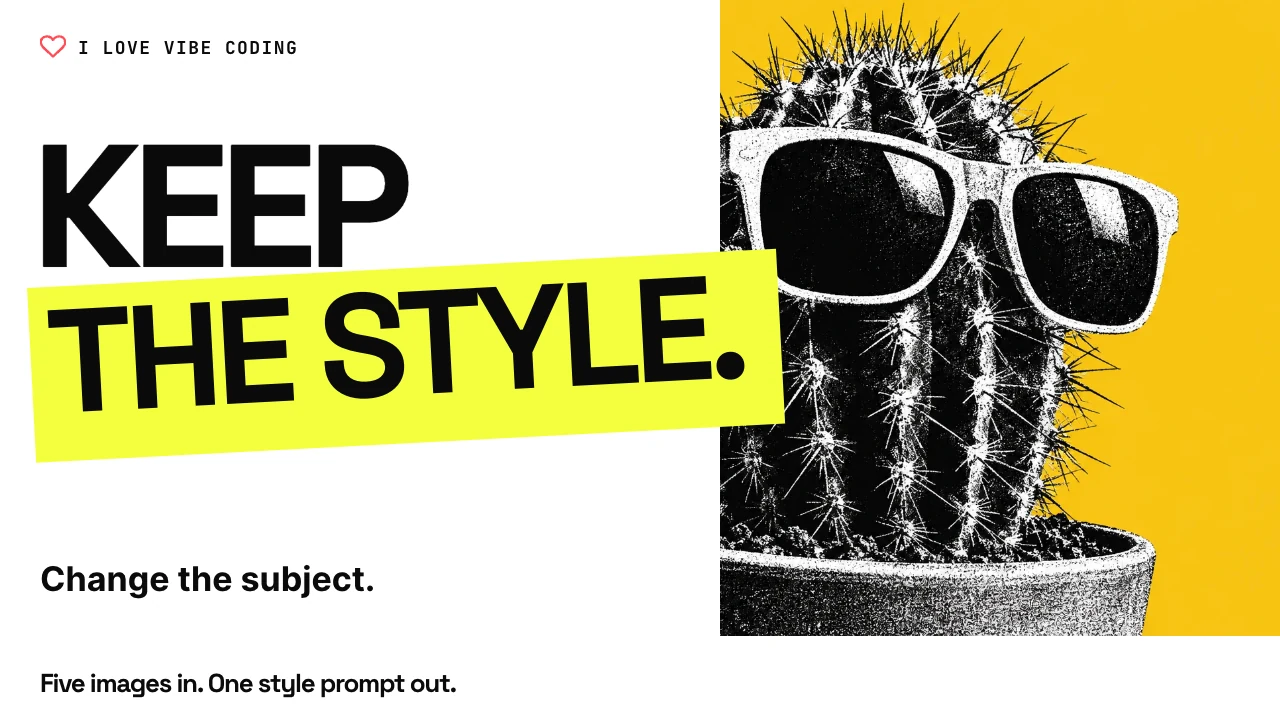
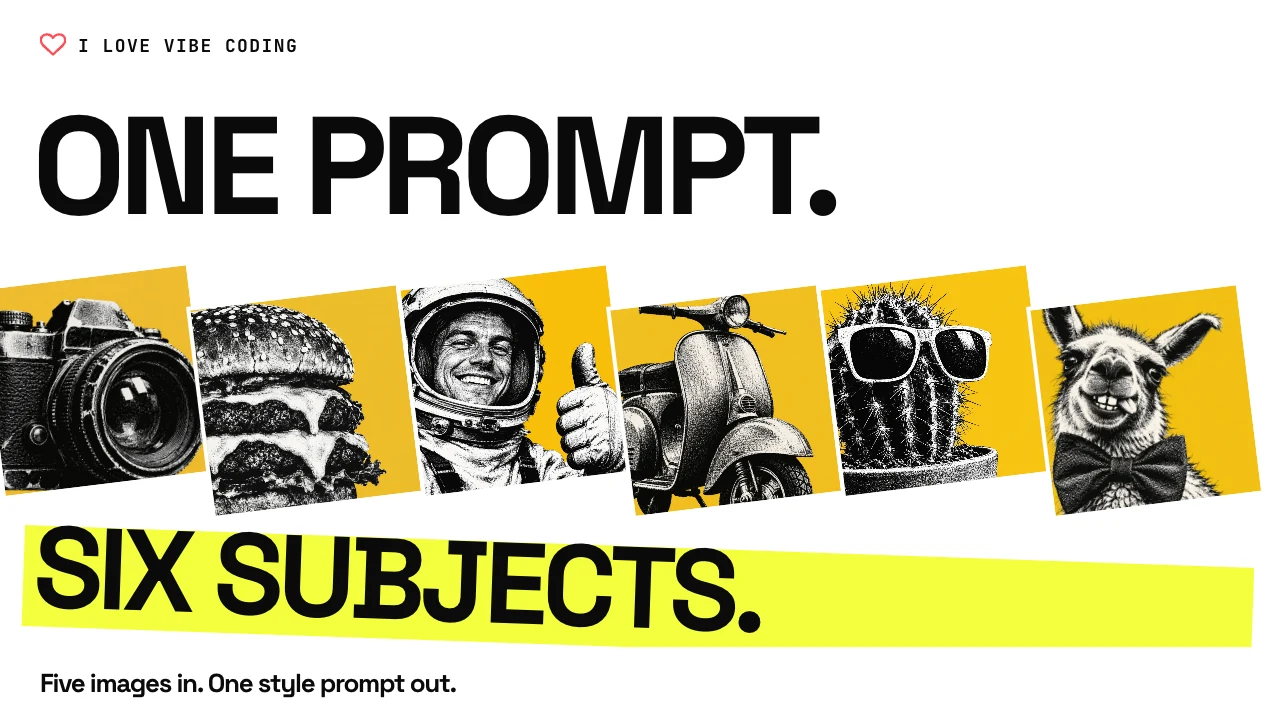
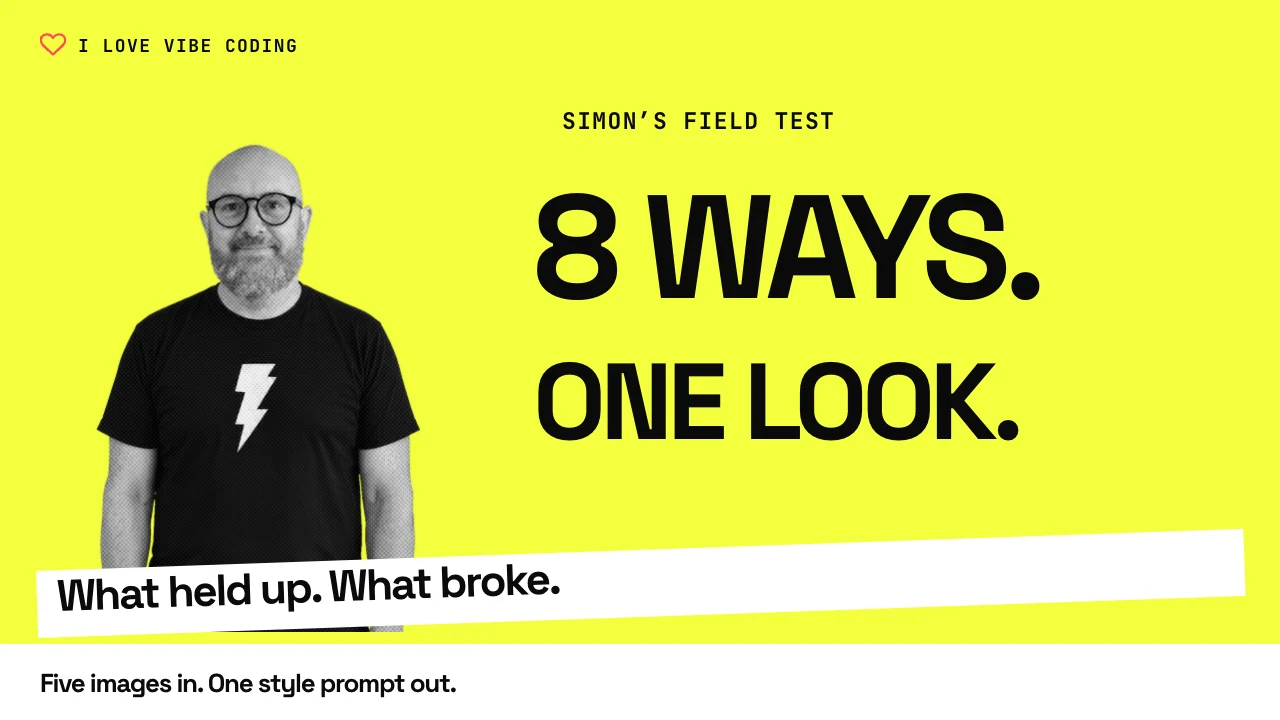
Claude redrew all six frames in Paper at 1920 × 1080, working from the final cut. There’s no new copy. The hook’s subjects fill the right half, the five chimps fan out in a row, the prompt card sits beside the key line, and the end card puts the ask on the left with Simon, the marks and the kangaroo on the right. Text stays clear of the lower-right corner, where video players put their controls.
The part that made it quick: every element kept the exact timing it has in the vertical cut. So Archer’s voiceover and the sound track fit without a single change, and nothing was regenerated. Each frame is defined once and drawn both in Paper and in the video, so the board and the film can’t drift apart.
What went wrong
- The browser agent hit a sign-in page. We sent GPT-6.1 Sol through Codex to drive ElevenLabs in the browser. It found the sign-in page instead of a signed-in session and stopped without spending anything.
- Pause tags split the lines in odd places. Our first take used one-second break tags between lines. Archer took extra breaths inside lines, so cutting at the silences failed. We regenerated with timestamps and cut by the text instead.
- High-quality audio wasn’t on our plan. We asked for 192 kbps MP3 and ElevenLabs refused it. Standard 128 kbps is fine for a short.
- The first effects were too quiet. The first sound mix sat too low under the voice. Raising the effects by about 4 dB made them easy to hear.
- Claude can’t hear. It can measure loudness and draw waveforms, but it can’t listen. Simon picked the voice and judged the mix by ear.
Copy two examples
Here are two things you can reuse: three of our sound-effect descriptions, and the voice settings.
pop: Single soft clean UI pop, bubbly and crisp, very short, dry, no reverb, modern motion graphics
thump: Soft thump of a glossy photo print landing on a desk, short, tactile, dry
chime: Bright pleasant two-note success chime, clean, modern app notificationVoice: Archer (Conversational), ElevenLabs Voice Library
Model: eleven_multilingual_v2
Stability 0.50 · Similarity 0.75 · Style 0.10 · Speaker boost on · Speed 1.0
Generate the whole script as one take with character timestamps, then cut each line at its timestamps.We generated the effects with ElevenLabs’ text to sound effects model, eleven_text_to_sound_v2, at a prompt influence of 0.6. Other tools will read the descriptions differently.
Do it yourself
You don’t need our setup. You need a storyboard, a voice and some patience with timing.
- Storyboard every frame first. In Paper or any design tool, make one full-size frame per scene showing where it ends up, with the line it carries.
- Cut to the happy path. One idea, a few beats and a clear ask at the end. Cut anything the viewer has to stop and think about.
- Time it with a free voice. Generate each line with a scratch voice. On a Mac, the built-in say command works. Let each line set its scene’s length: snap in, speak, then rest.
- Swap in the real voice. Pick one from ElevenLabs’ Voice Library, generate the script as one take and cut the lines at their timestamps.
- Add sounds last and check by ear. Put a sound on each thing that appears. Then listen on a phone and fix what’s too loud or too cute.
Limits
- Voices and prices change. Library voices come and go, and plans differ. Check before you build around one.
- Rights. Use voices and sounds your plan lets you publish, and only images you made or are licensed to use. The logos belong to their owners.
- One video, one run each. We made one promo. The Astra attempt was a single run on an earlier storyboard.
- No music yet. The file has voice and effects only. Add a track in the app before posting.
Opus 5.5 is the daddy at this
“The verdict is absolutely that Opus 5.5 is the daddy at this.”
Simon Bloom
Claude Opus 5.5 built the storyboards, animated every version, reviewed its own pacing, placed every sound and kept the Paper boards in step with the video.
This is a designer’s judgment from one project, not a benchmark. If you use a different model, try it on the same storyboard. That’s what the storyboard is for.
Watch the promo
Landscape, for YouTube, LinkedIn and this page: 26 seconds, voice by Archer from ElevenLabs, with English captions.
Vertical, for Reels, Shorts and TikTok: the same 26 seconds, with English captions.
Transcript
One style. Any subject. Start with five images. Claude writes the prompt. It describes the look. Never the chimps. ChatGPT makes the images. Same style. Every time. Want the magic sauce? Sign up to I Love Vibe Coding. We’ll show you how.