
The logo work was everywhere
Before this, our logo lived in several places at once. Article 05 tells the first part: 79 heart boards in Paper, starting with 10 pixel hearts, then 69 stippled hearts that Codex drew with GPT Image and we recoloured to our coral, #FF4D57. I chose the retro key.
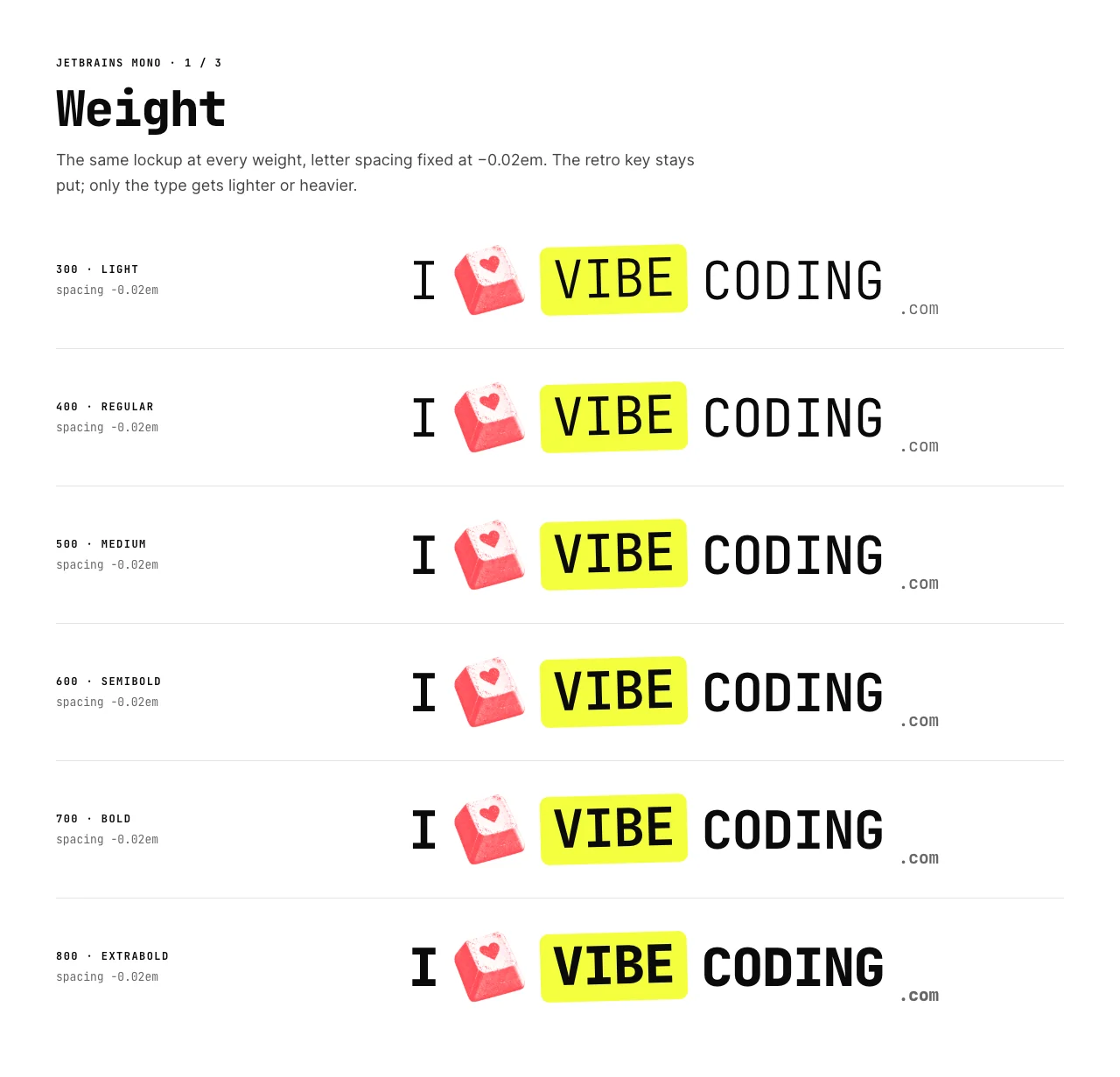
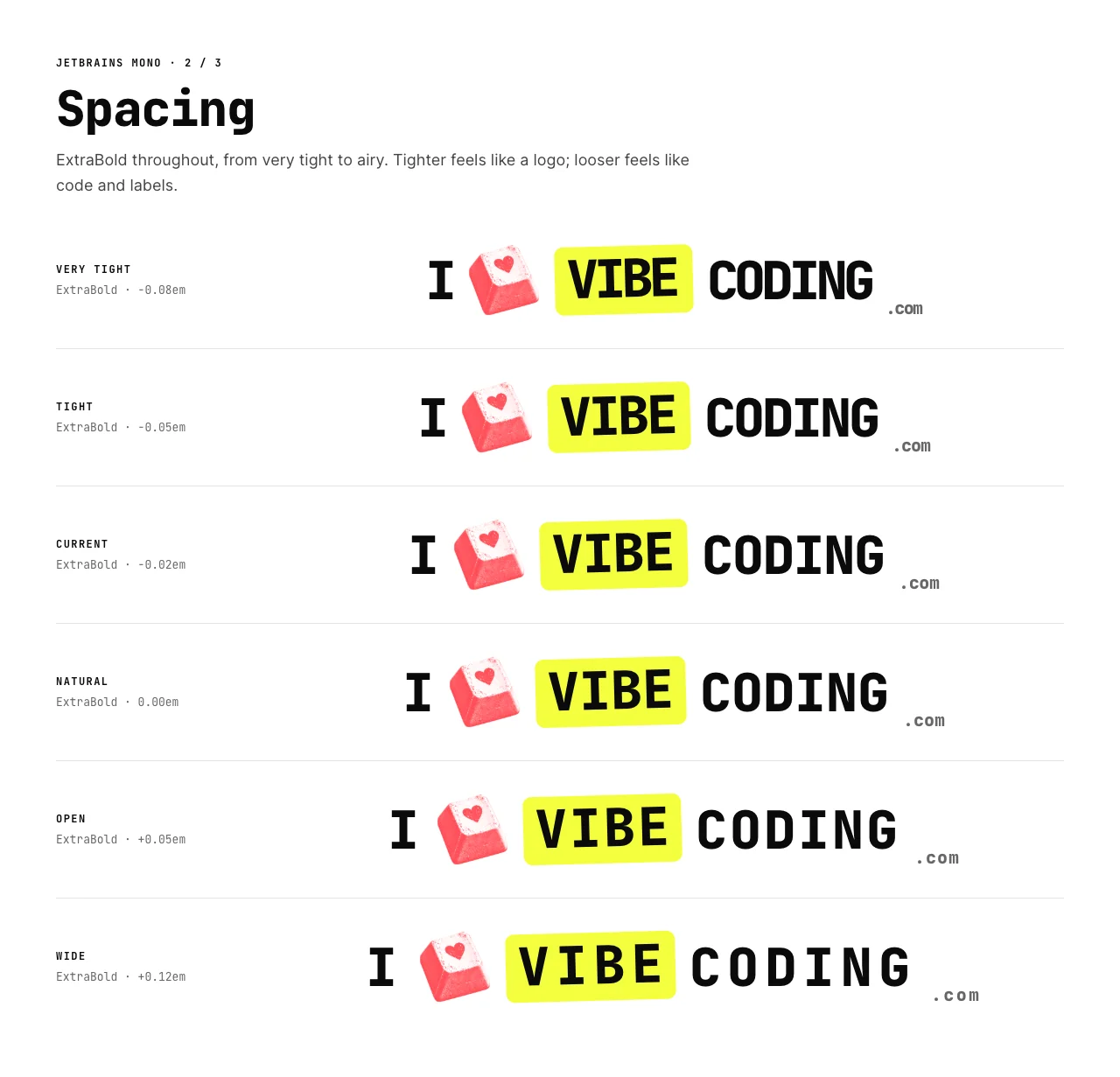
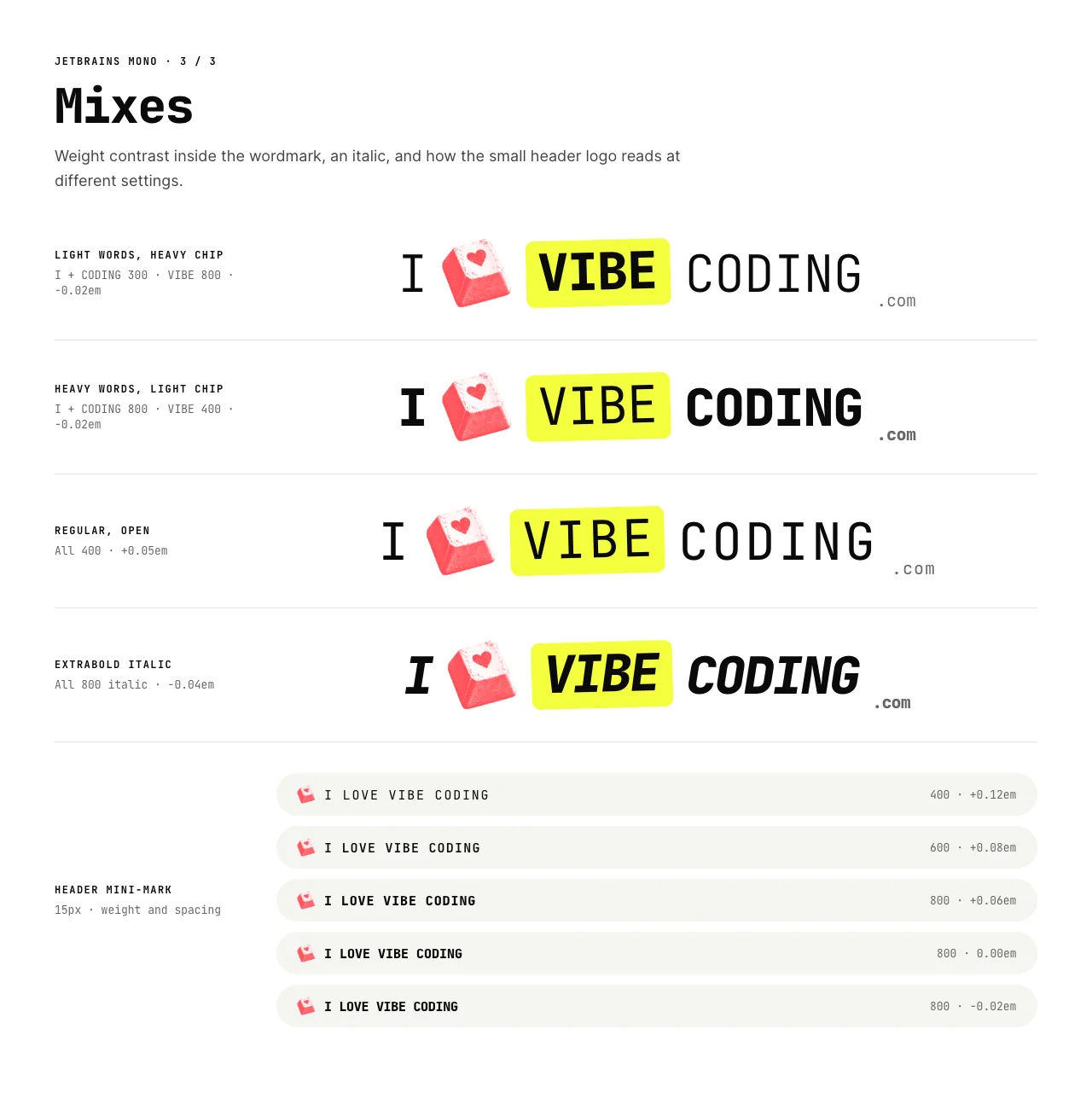
Then came the wordmark. On another Paper page, Claude set the lockup in JetBrains Mono at every weight from 300 to 800, at letter spacing from −0.08em to +0.12em, and in four mixes, such as light words with a heavy VIBE chip. Seven other monospaced fonts got a board each too.
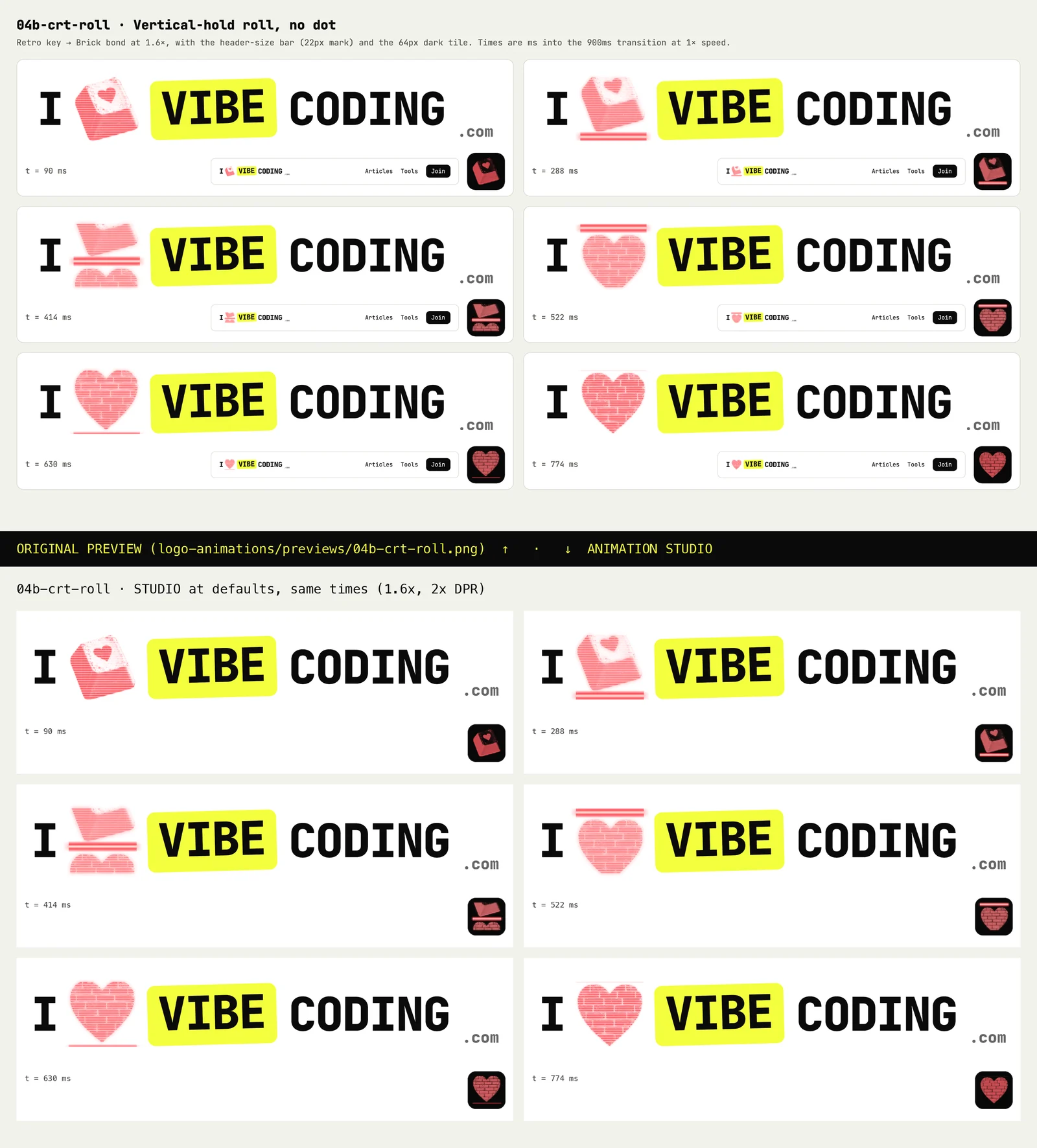
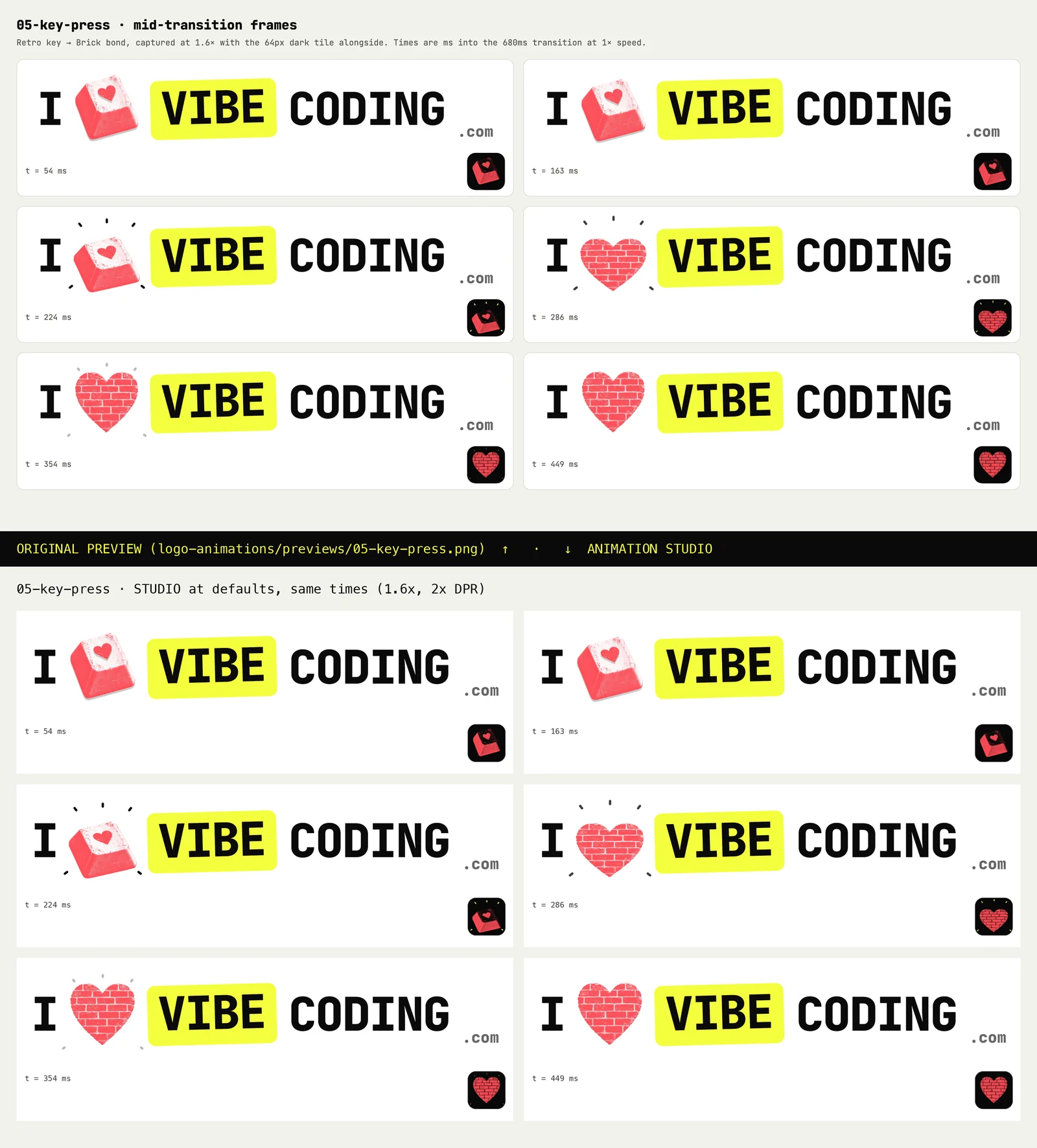
And then the motion: twelve standalone HTML prototypes. Five originals (slide up, pixelate, glitch, CRT and key press), two CRT refinements, and five glitch variations from a one-line prompt.
So the hearts and the type were in Paper, the motion was in HTML files, and every opinion about them was in chat. Each tweak meant another prompt and another prototype: make the split smaller, try the chip a bit heavier, hold each heart a little longer. I couldn’t see the type and the motion together, and I couldn’t try a small change without asking for it.
One prompt, dictated on my phone
I was away from my desk, so I dictated this. It’s shown as it arrived, with only the capitals and punctuation tidied:
Using Opus, please create a full diakit animation studio for these animations and the photo size family spacing experiment from earlier. Does that make sense? Use a sub agent with extra high readoning.Dictation got three words wrong. “Diakit” is DialKit, “readoning” is reasoning, and “photo” should have been “font”. Claude read “photo size family spacing” as the font size, family and spacing experiment, and said so before it started, which gave me the chance to correct it.
The lead agent confirmed what DialKit is, then handed the job to a Claude Opus 5.5 subagent running at extra-high reasoning effort. It took about 66 minutes.
Here’s a reusable version. Replace the placeholders with your own files and choices:
Please build a full tuning studio with DialKit (github.com/joshpuckett/dialkit) for my animation prototypes [MY_PROTOTYPES] and my type experiment [MY_TYPE_EXPERIMENT].

Port every prototype so it matches the original exactly at its default settings, then turn each hard-coded value into a dial. Show the result at the sizes people will actually see [REAL_SIZES] and on each of my backgrounds [BRAND_BACKGROUNDS], all on one clock, with play, pause, a scrubber and a reduced-motion option.

Add presets for my favourites [MY_FAVOURITES], and let me save my own and export them. On a phone, keep the stage pinned at the top with the dials scrolling underneath.

Before you hand it over, prove the defaults match the prototypes frame by frame, and that every dial changes something.
What DialKit is
DialKit is Josh Puckett’s open-source library for tuning interfaces live, released under the MIT licence. You describe your values in code and it gives you a panel of controls: sliders, toggles, text fields, colour pickers, selects, an XY pad, spring and easing editors, action buttons and nested folders. The panel can float over your page or sit inline in your layout. You can save versions of a panel’s values and copy them out to paste back into your code.
It works with React, Solid, Svelte, Vue and plain JavaScript. The studio uses the React version: dialkit 2.0.2 on npm, with motion 14.1.0. Those details come from the project’s README and npm page, checked on 11 October 2026.
What came back: one place to tune it all
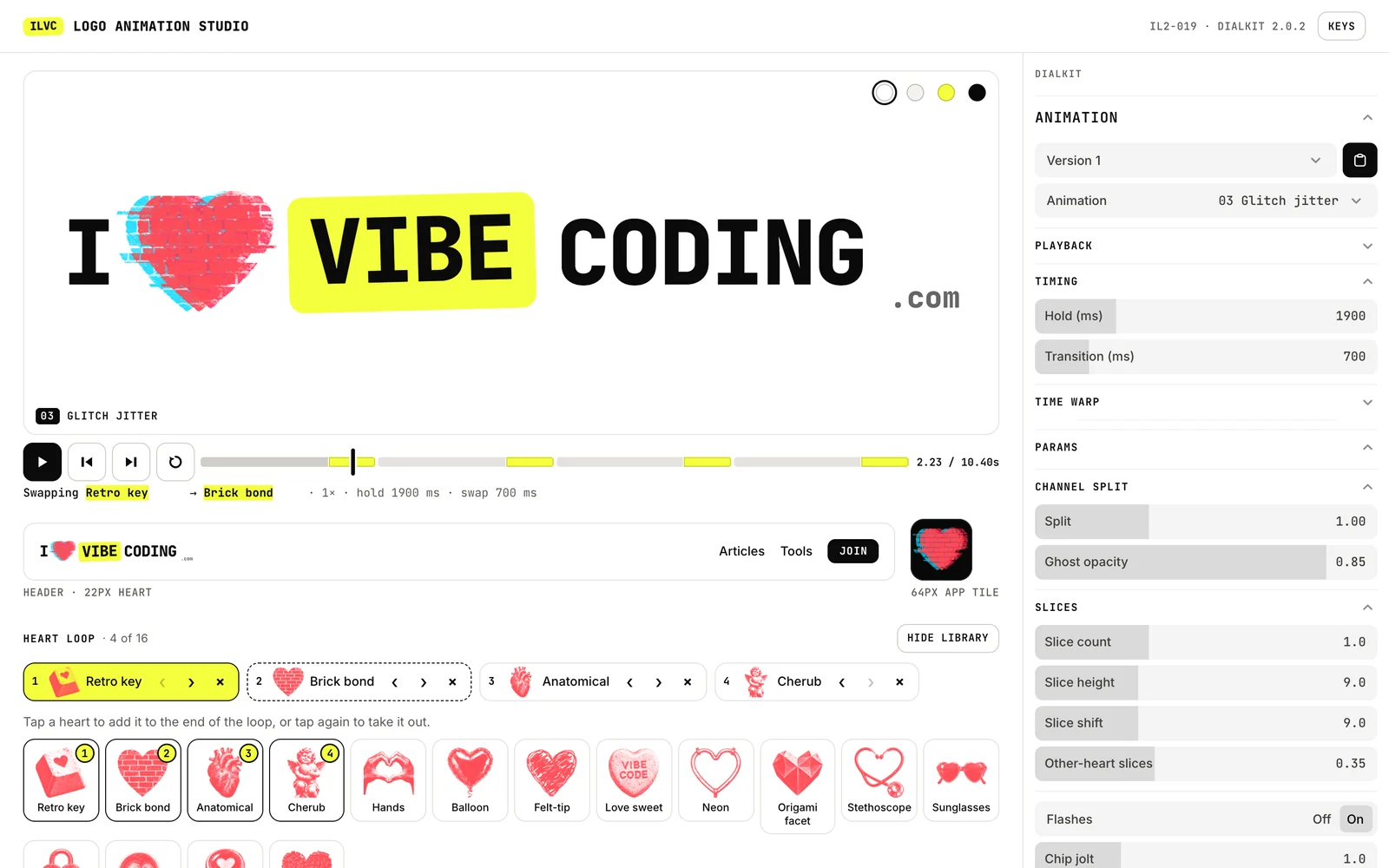
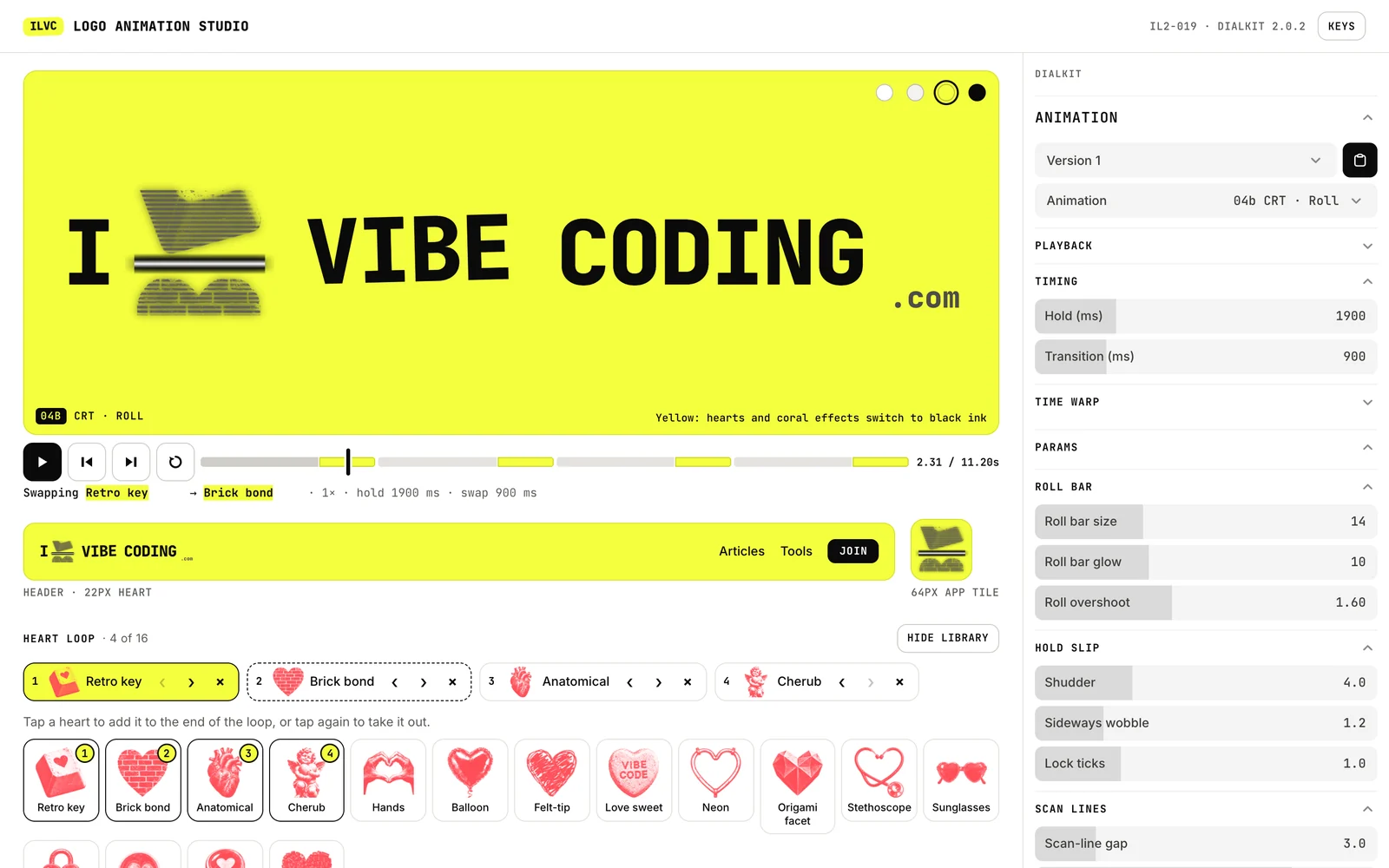
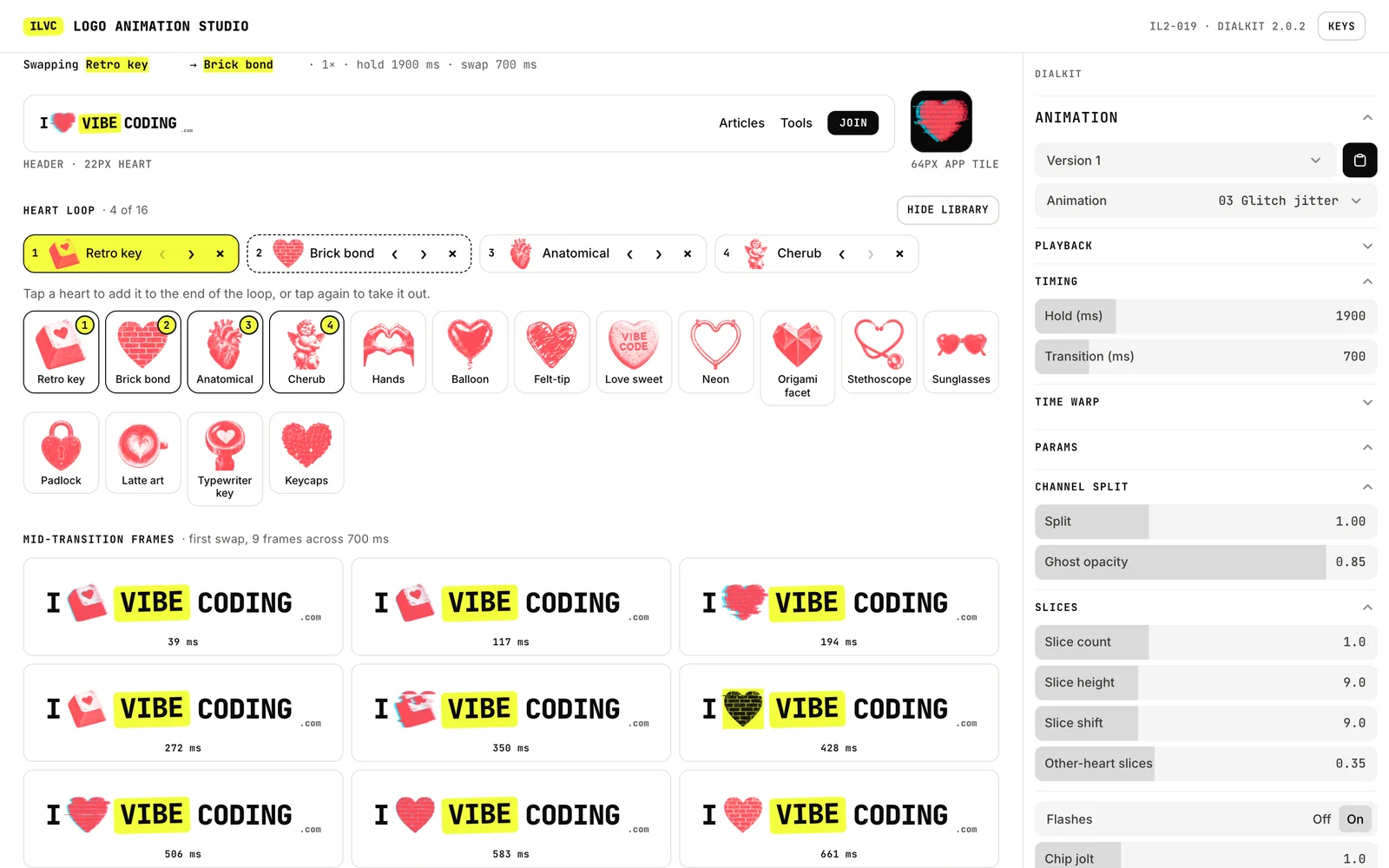
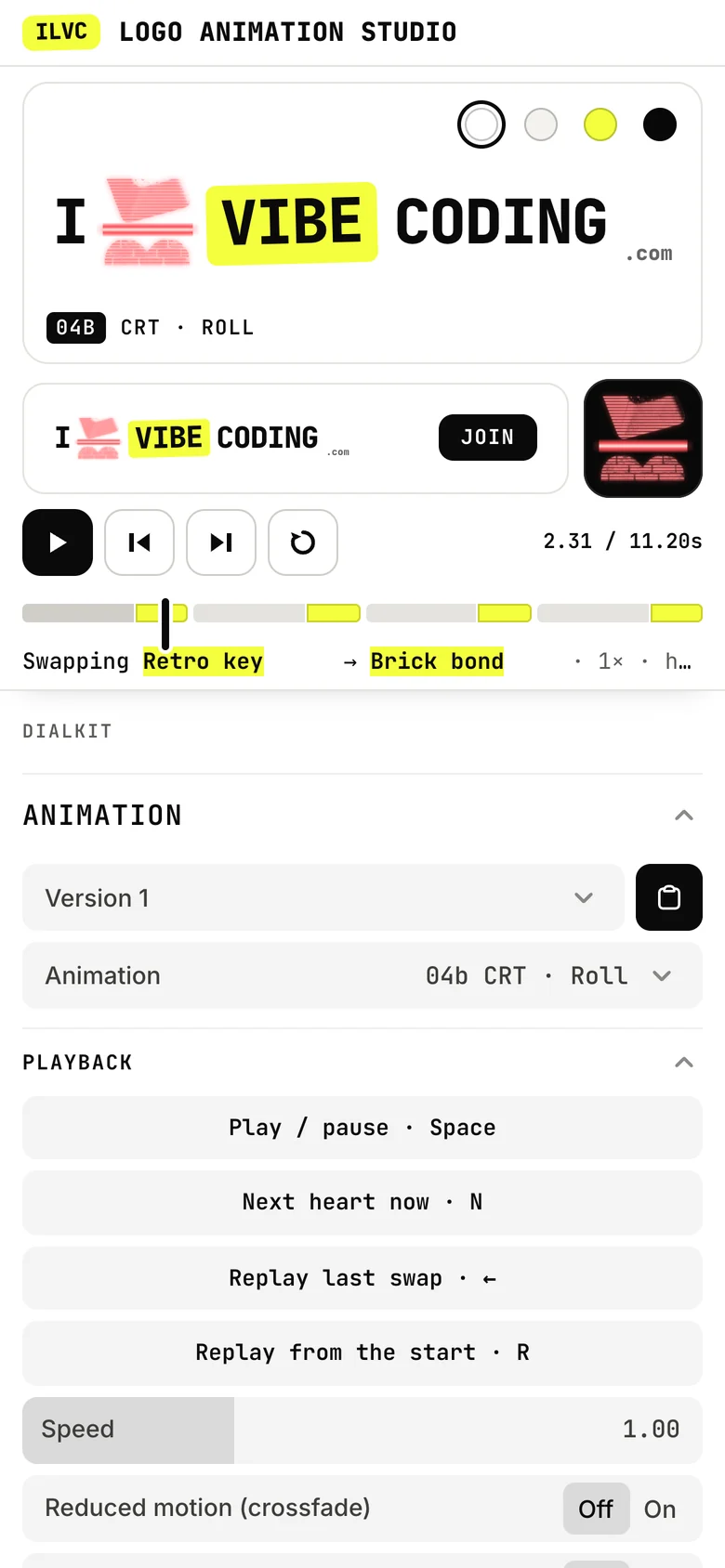
The ILVC Logo Animation Studio is a small web app. It started on my laptop and now lives alongside this article, so you can open it here. At the top is a stage with the lockup at three sizes, all on one clock: large, in a mock site header with a 22px heart, and as a 64px app tile. It has four backgrounds: white, warm white, yellow and dark. On yellow, every coral heart and coral effect switches to black ink, because of my rule: never coral on yellow.
Underneath the stage:
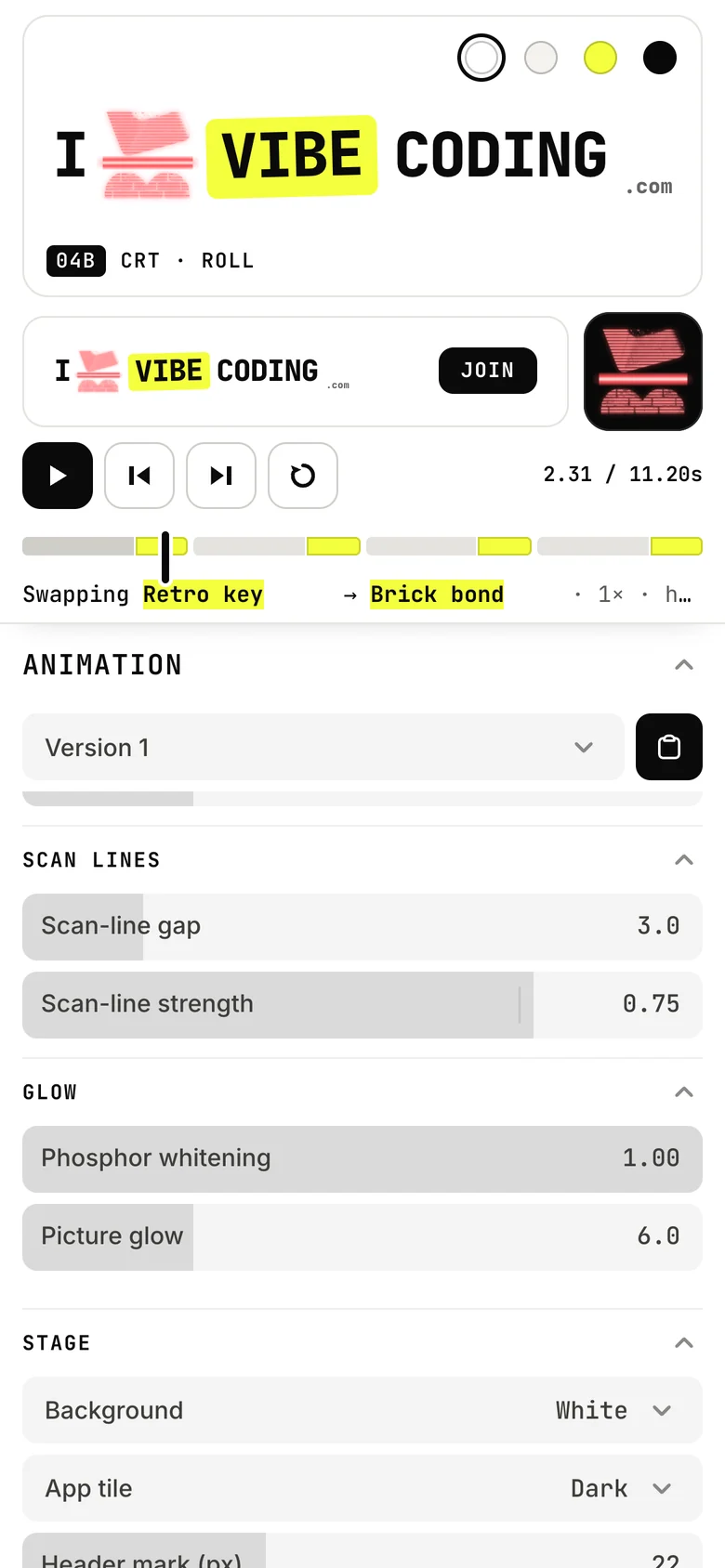
- All twelve animations, as dials. Each prototype was ported to TypeScript, and every hard-coded number became a dial: tear size, scan-line gap, dot radius, press depth, glitch split and dozens more.
- A heart loop editor. Pick any of 16 hearts and set their order.
- Timing. Hold, transition length and speed, plus a “time warp” curve, drawn in DialKit’s easing and spring editor, that reshapes how each transition plays out.
- A transport. Play, pause, a scrubber over the whole loop, and a contact strip of mid-transition frames so I can compare a swap as stills.
- Reduced motion. A toggle to see the gentle crossfade that people who ask their device for less motion would get.
This is it in use, recorded for real rather than mocked up:
A 15-second screen recording of the studio, captured in a headless browser with Playwright. The channel split is dragged wider, the stage turns yellow and the hearts switch to black ink, then the letter spacing opens up and the word weight drops to 200. No sound. It includes the glitch animation’s quick flashes.
The font boards, as dials
The wordmark experiment became its own panel: eight fonts, separate weights for the words and the VIBE chip, size, letter spacing, italic, chip styling, heart size and the gap around it. Every Paper board is a preset, so one tap puts the lockup back to “Spacing +0.05em · Open” or “Mix · Light words, heavy chip”, and then I can keep turning.
It also has my “optical right padding” rule. Letter spacing adds space after the last letter of VIBE, inside the chip, so at wide spacing the chip looks lopsided. The rule takes letter spacing × size off the chip’s right padding to even it out.
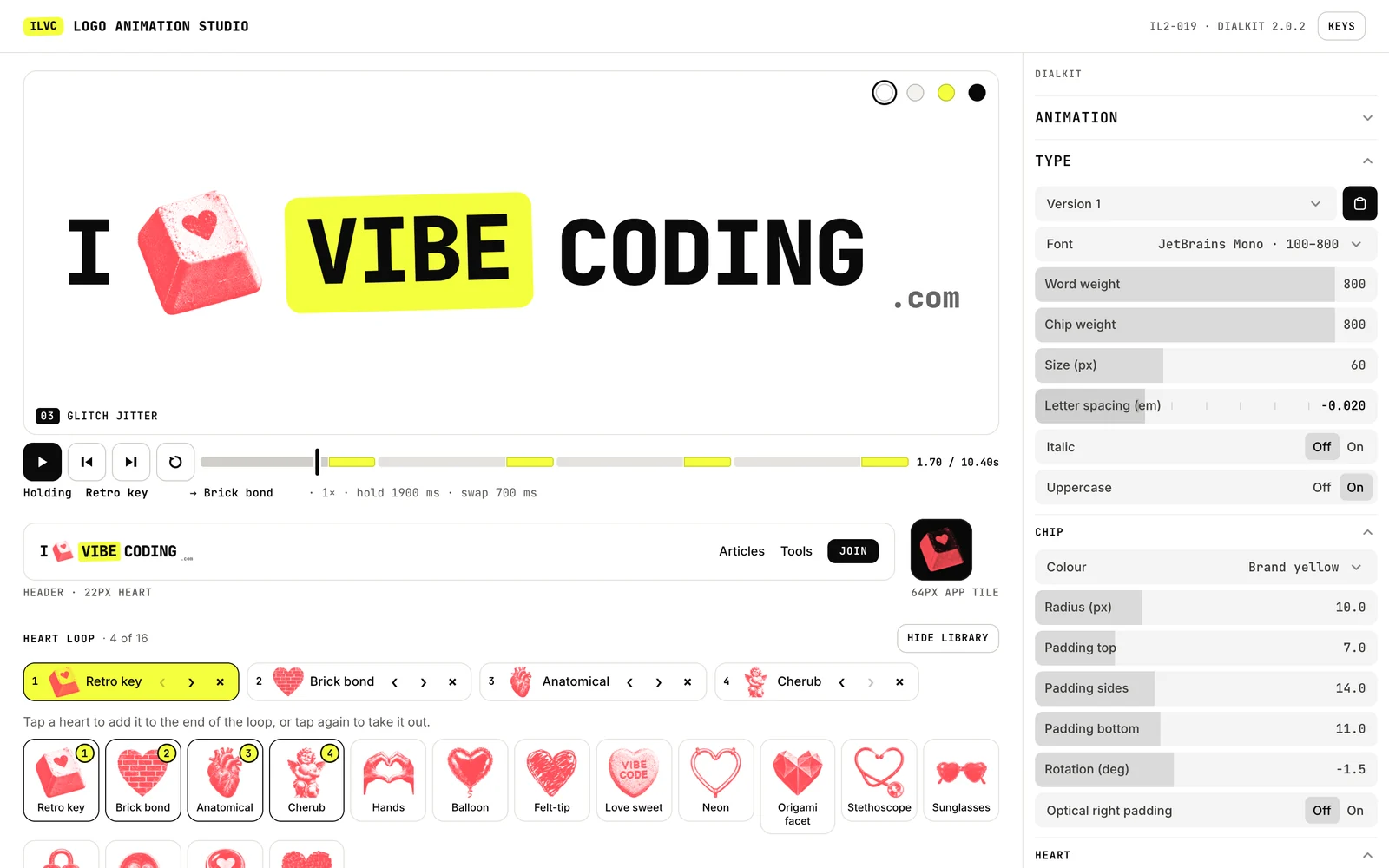
There are 33 built-in presets: the current master, every Paper font board, and my favourites, 03 Glitch jitter, 04b CRT roll and 03e Subtle, the candidate for a real header. I can save my own, import and export them as JSON, and copy the CSS for the current lockup.
Where DialKit stopped and the agent took over
DialKit did the heavy lifting for the controls. Each of the three panels, Animation, Type and Presets, is a DialKit controller kept in sync both ways with one studio store, so a preset, a keyboard shortcut and a dial all change the same values. The curves from the easing editor are sampled with motion’s own spring and cubic Bézier functions, so what you draw is what plays.
One gotcha to know. DialKit hides its panels in production builds unless you set productionEnabled on its root. The studio’s panel sits inline in the layout with productionEnabled switched on. Without it, the built studio would have had no dials at all.
Where DialKit didn’t fit, the agent built its own pieces rather than bending the brief:
- The timeline. DialKit has one, but it runs its own playback with no speed control. The studio needed slow motion and frame stepping, so it has its own scrubber on the shared clock.
- Studio-wide presets. DialKit saves versions per panel. A studio preset covers the animation, timing, hearts, stage and type together, so presets, JSON import and export, and Copy CSS are custom.
- The heart loop. There’s no control for an ordered list, so the heart picker is custom.
- Brand colours only. The chip colour uses a select of brand swatches instead of the free colour picker, so an off-brand colour can’t be picked by accident.
- Labels. DialKit splits labels on capital letters, so “RGB split” showed up as “R G B split”. Labels avoid capitals after the first letter, and a check enforces it.
- No Google Fonts request. DialKit’s stylesheet imports a font from Google Fonts. The studio strips that import and hosts every font itself.
How it was checked
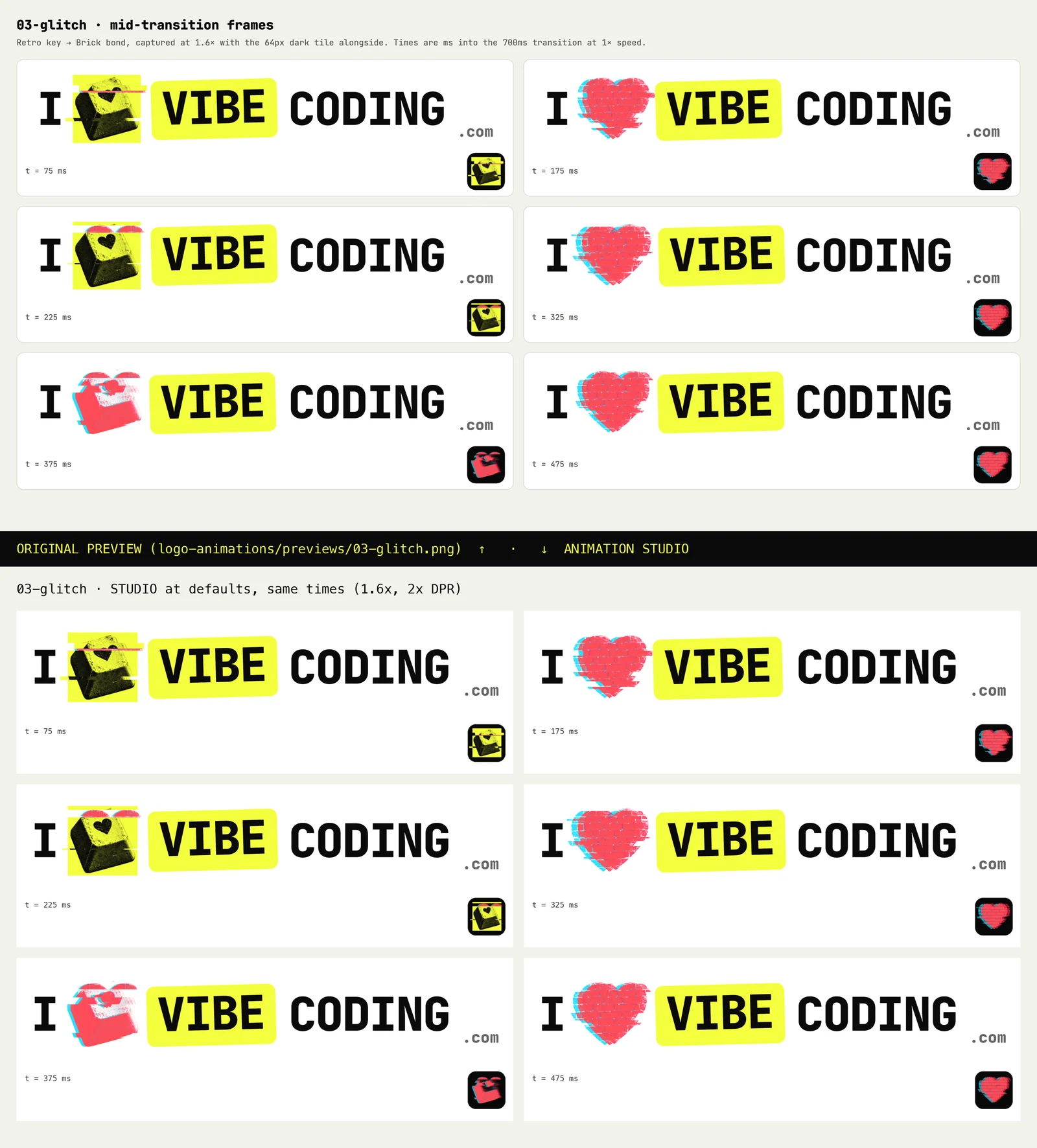
A tuning tool is only useful if its starting point is right. If the dials start somewhere slightly different from the prototypes I’d already approved, every decision drifts. So the agent checked that first, with scripts driving a headless browser:
- It matches the prototypes. At default settings, the studio reproduces the originals exactly: 0 mismatches across 378 frames, covering all 12 animations at all three sizes.
- The check can fail. As a control, nudging one dial per animation breaks 293 of those 378 matches. A comparison that can’t fail proves nothing.
- Every dial does something. All 153 control checks change the pixels on screen.
- Never coral on yellow. The yellow stage has 0 coral pixels across every animation and all 16 hearts at rest. The same detector finds coral on the white stage, which shows it works.
- Nothing else moves. The wordmark drifts 0.0000px while the hearts swap. Only the chip’s deliberate jolt moves.
- It’s light. One animation loop drives everything, and it stops when the tab is hidden.
- Phone width. No sideways scrolling at 390px, and no console errors.
Tuned on my phone
I review most things on my phone, so the studio is built for it. The stage, header bar, app tile and transport stay pinned at the top, and the dials scroll underneath, so I can drag a slider and watch the logo at the same time. I opened it through a temporary tunnel from my laptop.
What it doesn’t do
- It’s our workbench, not a general tool. The studio now runs on this site as this article’s companion, but it’s built around our hearts, our fonts and our colour rules, so it can’t tune your logo. It also still hasn’t been tested on a real iPhone.
- Dials don’t have taste. You can still turn them into combinations that don’t work, such as a big glitch split on a 22px header logo. Presets help, but the judgement is still mine.
- The live logo isn’t decided. The studio is where we’ll choose which heart, which animation and which type settings, if any, go on the site. That hasn’t happened yet.
- Animated logos still need care. Pausing, reduced motion, flashing and screen readers all still apply. The checklist in Article 05 covers them.
Prototypes ask what it could be. Dials ask what it should be.
The prototypes in Article 05 were the right first step. They showed me what the logo could be, quickly and cheaply. But once I had favourites, every small change went back through a prompt and a new file, and I was judging the type in one place and the motion in another.
The studio turns that around. Hearts, motion and type sit in one place, at the sizes people will see, and I decide by feel: drag, watch, drag back. When something feels right, I save it as a preset, and the presets become the record of what we decided.
Get the next experiment in your inbox.


